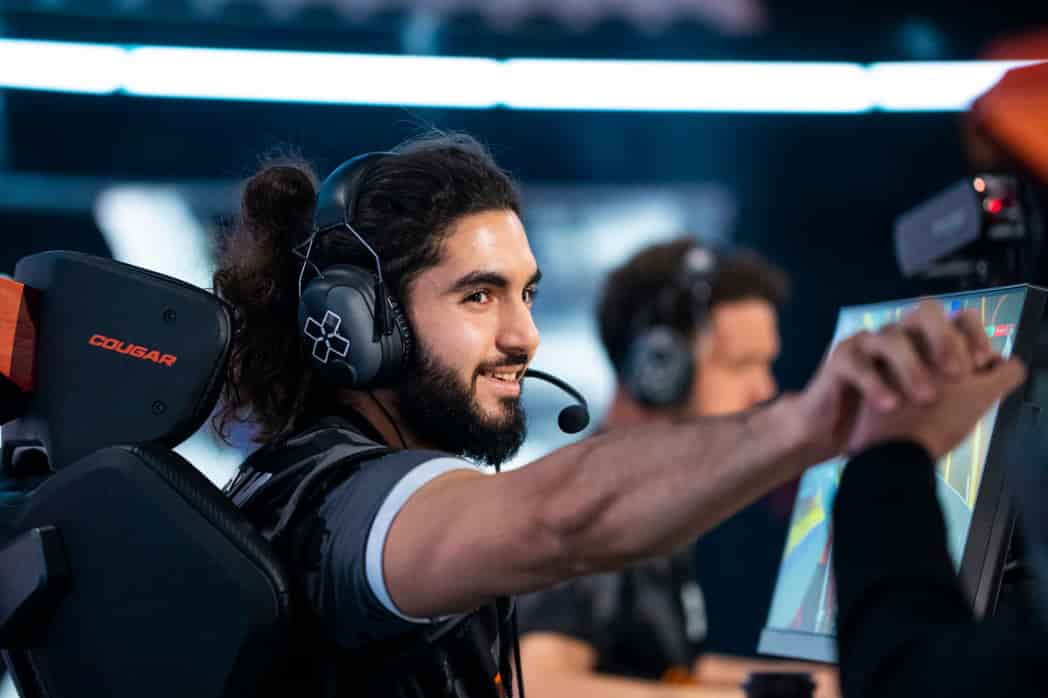
When you think of Counter-Strike legends, few names carry the weight that Adil “ScreaM” Benrlitom does.
The Belgian rifler didn’t just play the game – he redefined what was possible with pure aim.
While most pros rely on spray control and game sense, ScreaM built his legacy on something far more elegant: one-tap headshots that left opponents bewildered and fans screaming.
Even in 2026, players still hunt down every detail of ScreaM’s CS2 settings.
Why? Because his approach to Counter-Strike was never about following the meta.
It was about precision, confidence, and a playstyle so distinct that it’s still being studied years after his competitive peak.
ScreaM CS2 Settings
Best ScreaM CS2 Settings
ScreaM’s Mouse Configuration: The Foundation of One-Taps
Your mouse setup can make or break your Counter-Strike performance, and ScreaM’s choices here are surprisingly conventional for someone with such an unconventional playstyle.
His eDPI sits at 1000 – the same as current phenoms like donk. This proves that raw sensitivity isn’t what made ScreaM special; it was how he used it.
| Setting | Value |
|---|---|
| Mouse | FinalMouse Ultralight X Prophecy ScreaM Medium |
| DPI | 400 |
| In-Game Sensitivity | 2.5 |
| eDPI | 1000.00 |
| Zoom Sensitivity | 1.00 |
| Polling Rate | 4000 Hz |
| Windows Sensitivity | 6 |
The FinalMouse Ultralight X Prophecy isn’t just any peripheral—it’s a ScreaM signature edition.
The lightweight design supports the rapid flicks and microadjustments that made his one-taps so deadly.
That 4000 Hz polling rate ensures every tiny movement translates instantly to the screen.
ScreaM CS2 Crosshair: Aiming for Perfection
If you want to channel ScreaM’s headshot accuracy, his crosshair is where it starts.
Unlike many pros who prefer larger, more visible crosshairs, ScreaM opts for a tight, precise setup that demands confidence in your aim.
ScreaM Crosshair Code: CSGO-JaEHu-LMuQP-8jUiN-3Xsbf-S5LsE
Crosshair Breakdown
- Style: Classic Static
- Dot: Enabled
- Length: 0
- Thickness: 1
- Gap: -3.2
- Outline: Yes (1.5 thickness)
- Color: Cyan (customizable RGB)
- Alpha: 255 (fully visible)
The negative gap creates that signature overlapping crosshair look, while the center dot provides an exact point of reference.
It’s minimal, clean, and built for headshot-level precision. This isn’t a crosshair for spraying; it’s designed for players who know exactly where the head is going to be.
Viewmodel Settings: ScreaM’s Visual Preference
Your viewmodel affects how weapons appear on screen, and ScreaM’s choices reflect his preference for maximum visibility without distraction.
Quick Setup Commands:
viewmodel_fov 68; viewmodel_offset_x 2.5; viewmodel_offset_y 0; viewmodel_offset_z -1.5; viewmodel_presetpos 2;| Parameter | Setting |
|---|---|
| FOV | 68 |
| Offset X | 2.5 |
| Offset Y | 0 |
| Offset Z | -1.5 |
| Preset Position | 2 (Desktop) |
This view model keeps weapons positioned comfortably without obstructing crucial screen space. When you’re hunting for pixel-perfect headshots, every bit of visibility matters.
Video Settings: Performance Over Aesthetics
ScreaM’s video configuration prioritizes frame consistency and input responsiveness over visual flair. His 1024×768 resolution in 4:3 Black Bars might seem outdated, but there’s method to this choice.
Display Configuration
- Resolution: 1024×768
- Aspect Ratio: 4:3
- Scaling Mode: Black Bars
- Brightness: 100%
- Display Mode: Fullscreen
- Maximum FPS: Unlimited (0)
The stretched models on 4:3 make target acquisition feel more natural for players accustomed to CS:GO’s golden era.
Black bars maintain the aspect ratio without distortion, keeping muscle memory consistent.
Advanced Graphics Settings
- Boost Player Contrast: Enabled (crucial for spotting enemies)
- MSAA: 4x (smoother edges without major performance hit)
- Global Shadow Quality: Very High (tactical advantage)
- Model/Texture Detail: Low (performance priority)
- Shader Detail: Low
- Particle Detail: Low
- V-Sync: Disabled (reduces input lag)
- NVIDIA Reflex: Disabled
Notice how ScreaM keeps shadows on Very High while gutting textures and particles. Shadows reveal enemy positions—pretty graphics don’t win rounds.
Launch Options Explained
-tickrate 128 -refresh 360 -console -novidEach parameter serves a purpose:
- -tickrate 128: Ensures practice servers run at competitive tick rates
- -refresh 360: Maximizes his monitor’s 360Hz capabilities
- -console: Instant access to the developer console
- -novid: Skips intro videos for faster startup
HUD and Radar Configuration
ScreaM’s HUD keeps information clear without cluttering the screen.
HUD Settings:
- HUD Scale: 1.0 (standard size)
- HUD Color: Team Color (dynamic based on side)
Radar Settings:
- Radar Centers The Player: Yes
- Radar is Rotating: Yes
- Radar HUD Size: 1.0
- Radar Map Zoom: 0.7
The rotating, player-centered radar helps with quick spatial awareness—critical when you need to rotate for defensive holds or aggressive peeks.
ScreaM’s Complete Hardware Setup
| Component | Product |
|---|---|
| Mouse | FinalMouse Ultralight X Prophecy ScreaM Medium |
| Mousepad | Artisan Shidenkai V2 Black |
| Monitor | Alienware AW2521H (360Hz) |
| Keyboard | Razer Huntsman V3 Pro |
| Headset | Logitech G Pro X |
The Artisan Shidenkai mousepad is legendary among aim enthusiasts—its glass-infused surface provides incredibly low friction, perfect for ScreaM’s rapid flicks. Paired with the 360Hz Alienware monitor, input lag is virtually eliminated.
Expert Insight: Why ScreaM’s Settings Still Matter
Here’s the truth that many players miss: copying ScreaM’s settings won’t magically give you his aim.
What makes these settings valuable isn’t the numbers themselves—it’s understanding the philosophy behind them.
ScreaM optimized every detail for one purpose: pixel-perfect accuracy with minimal distraction.
His low textures, minimal crosshair, and 4:3 resolution all serve to eliminate visual noise. When your entire playstyle revolves around clicking heads before enemies can react, you need absolute clarity.
The 1000 eDPI is deliberate. Too low, and you can’t flick to unexpected angles.
Too high, and micro-corrections become unstable. ScreaM found the sweet spot where arm movements handle broad rotations while wrist adjustments nail the final pixel.
ScreaM’s Playstyle: Settings in Action
Watch any ScreaM highlight reel and you’ll notice something: he almost never commits to full sprays.
While opponents panic and hold mouse1, ScreaM fires controlled bursts or single shots, resetting his aim between each bullet.
This is why his crosshair works—it’s built for tapping, not tracking spray patterns.
His sensitivity supports this perfectly. At 1000 eDPI, he can snap to common angles while maintaining the stability needed for those frame-perfect headshots.
It’s not just about the settings—it’s about building a complete system where every element reinforces the same goal.
Comparing ScreaM to Modern Riflers
Modern CS2 has evolved toward utility usage and team coordination, but raw aim still determines crucial duels.
While players like NiKo and s1mple have incorporated more spray control, ScreaM’s tap-shooting legacy influenced an entire generation.
Today’s pros might use slightly higher sensitivities or different crosshairs, but the fundamentals remain: clarity, consistency, and a setup that matches your natural aiming style.
ScreaM proved you don’t need to follow the meta if you perfect your own approach.
Watching ScreaM’s Settings on Twitch
Even though ScreaM’s competitive days have quieted, he remains active as a content creator for FUT Esports.
You can catch him streaming CS2 and VALORANT on Twitch, where his settings are often on full display.
Watching him play in real-time shows how these configurations translate to actual gameplay—the smoothness, the precision, the confidence.
His Twitch streams also reveal something crucial: ScreaM still plays with the same philosophy that made him famous.
The settings haven’t changed much because they were never about trends—they were about building the perfect tool for his unique talent.
Frequently Asked Questions
- What sensitivity does ScreaM use in CS2?
ScreaM uses 2.5 in-game sensitivity with 400 DPI, creating an eDPI of 1000. This is considered medium sensitivity in the competitive scene.
- What resolution does ScreaM play on?
He plays on 1024×768 resolution with 4:3 aspect ratio using Black Bars scaling mode, a classic configuration from the CS:GO era.
- What is ScreaM’s crosshair code?
His current CS2 crosshair code is: CSGO-JaEHu-LMuQP-8jUiN-3Xsbf-S5LsE
- Does ScreaM still compete professionally in CS2?
No, ScreaM is currently benched and focuses on content creation for FUT Esports while streaming CS2 and VALORANT.
- What mouse does ScreaM use for CS2?
ScreaM uses the FinalMouse Ultralight X Prophecy ScreaM Medium edition, a lightweight gaming mouse with a 4000 Hz polling rate.
Final Thoughts: Building Your Own Legend
ScreaM’s CS2 settings represent more than just numbers in a config file. They’re a blueprint for how to build a complete system around your strengths.
His career proves that you don’t need to play like everyone else to reach the top—sometimes the most memorable players are those who dare to be different.
Whether you copy these settings exactly or use them as inspiration for your own configuration, the lesson is clear: find what works for your natural aiming style, optimize ruthlessly for clarity and performance, and trust your approach.
ScreaM became a legend not because his settings were magical, but because he perfected every detail to support his vision of Counter-Strike.
The one-tap king’s legacy lives on in every player who values precision over spray, confidence over hesitation, and individuality over conformity.
Also Check:
- All CS2 Ancient Callouts Explained
- Cheapest Knife Skins in CS2
- CS2 Weekly Drop Reset 2026
- Best Green Gloves CS:GO/CS2
About the Author