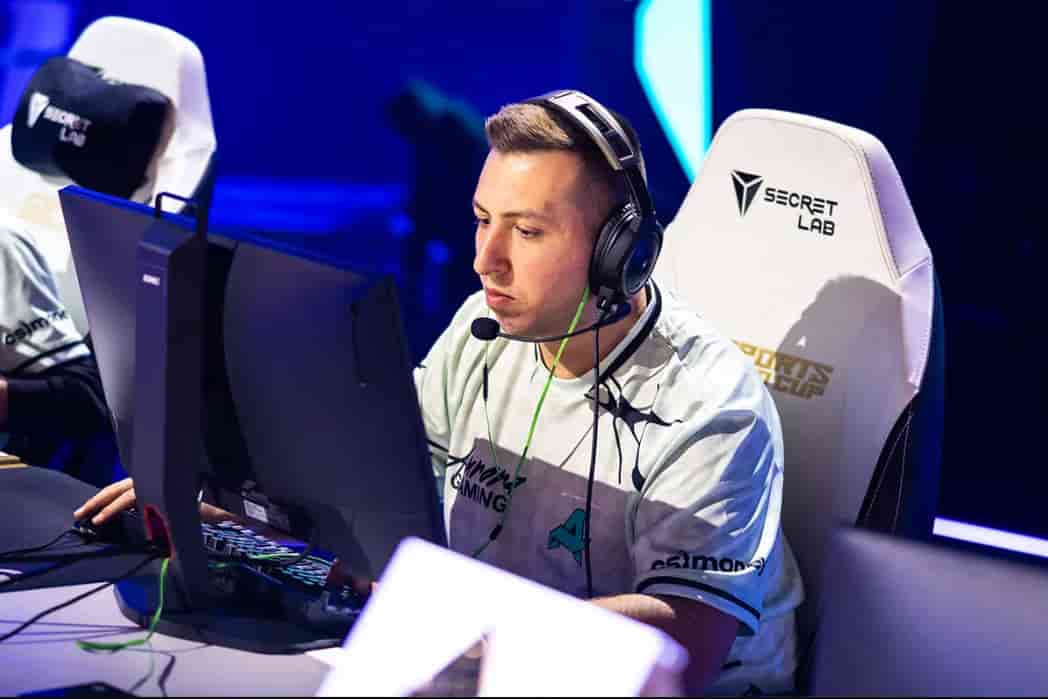
Few names in Turkish Counter-Strike carry the weight that XANTARES does. İsmailcan Dörtkardeş has been one of the most mechanically gifted riflers in the world for over a decade, representing his country at the highest levels of competition across multiple teams and multiple CS generations.
His trademark “XANTARES Peek” became a defining term in the community — a reference to the speed and confidence with which he takes aggressive duels that most players would never attempt. Even into his 30s, he remains active and competitive at Tier 1 with Aurora.
Understanding xantares cs2 settings is a starting point for any rifler who wants to build a competitive setup around controlled aggression and mechanical precision.
XANTARES CS2 Settings
XANTARES CS2 Settings
- XANTARES has spent a decade at the top of competitive Counter-Strike, playing for Space Soldiers, BIG, Eternal Fire, and Aurora across that span.
- His consistency across multiple roster changes and engine transitions speaks to a player who has found a configuration that works and refuses to deviate from it without reason.
- His settings reflect a philosophy built on precision over speed, and controlled mechanics over raw reactivity.
- Every value in his setup has been stress-tested across thousands of matches at the professional level, making XANTARES CS2 Settings one of the most reliable templates available for aspiring riflers.
- His performance record on Xantares cs2 hltv reflects sustained individual output across different team structures and competitive eras — a rare feat that validates the longevity of his setup choices and the playstyle they support.
| Category | Style Focus | Philosophy |
|---|---|---|
| Mouse | Low DPI Precision | Controlled aggression |
| Crosshair | Minimal & Static | Head-level discipline |
| Viewmodel | Low FOV | Focused weapon view |
| Resolution | 4:3 Stretched | Classic competitive feel |
Why His Settings Still Work in 2026 CS2 has changed the engine, the subtick system, and numerous visual elements, but the fundamentals of a precision rifle setup have not changed.
Low DPI, static crosshair, 4:3 stretched, and low visual settings remain the dominant configuration among elite riflers because they optimize for the same things they always have — frame rate, input accuracy, and visual clarity during duels.
XANTARES CS2 Mouse Settings
- XANTARES runs one of the lower DPI configurations in the professional scene, particularly among riflers known for aggressive peak-based mechanics.
- His setup prioritizes muscle memory and arm-level precision over wrist-heavy speed sensitivity. This approach demands more physical movement per in-game action, but rewards players who develop the arm control to execute it consistently.
- The important distinction in his mouse configuration is the deliberate disabling of XANTARES CS2 mouse acceleration through launch options. Mouse acceleration introduces variable sensitivity based on movement speed, which destroys the consistency that arm-aimed mechanics depend on.
- His launch options remove this at the system level, ensuring every movement translates to a fixed, predictable on-screen result regardless of how fast the mouse moves.
| Setting | Value |
|---|---|
| Mouse | ZOWIE FK1-C |
| DPI | 400 |
| Sensitivity | 2.3 |
| eDPI | 920 |
| Zoom Sensitivity | 1.1 |
| Polling Rate | 1000 Hz |
| Windows Sensitivity | 6 |
Why 400 DPI Still Dominates Running 400 DPI forces the player to develop arm-level muscle memory for crosshair placement rather than relying on wrist flicks that can be inconsistent under pressure.
The lower hardware DPI also reduces sensor noise at a hardware level — fewer positional samples means the sensor is less likely to jitter on the surface. Combined with a 2.3 in-game sensitivity for an eDPI of 920, XANTARES lands in a range that is fast enough for aggressive peeking while controlled enough for spray transfers.
ZOWIE FK1-C Hardware Choice The ZOWIE FK1-C is a symmetrical, no-frills performance mouse with consistent sensor output and minimal software overhead. ZOWIE mice have long been a staple at the professional level because they prioritize reliable hardware performance over feature sets.
For a player who disables mouse acceleration and demands predictable sensor output, this mouse is an ideal physical complement to his settings philosophy.
XANTARES CS2 Crosshair Settings
- Crosshair configuration is one of the most visible expressions of a player’s aiming philosophy. XANTARES crosshair follows a classic minimalist structure — static, compact, and calibrated for headshot-level precision rather than general spray suppression.
- His green color choice provides clear contrast across most surface types in the current CS2 map pool, from bright outdoor textures to darker interior corridors.
- The low alpha value of 200 slightly reduces crosshair opacity, which some players find reduces visual distraction at the point of aim without sacrificing visibility.
| Setting | Value |
|---|---|
| Crosshair Code | CSGO-xbpe2-E24RJ-YXNuO-pQvt8-ppNAK |
| Style | Classic Static |
| Length | 3 |
| Thickness | 0.5 |
| Gap | 0 |
| Color | Green |
| Alpha | 200 |
| Sniper Width | 0 |
Why Static Crosshairs Suit Riflers A static crosshair does not respond to movement, firing, or recoil — it holds its position on screen regardless of what the player is doing. This forces the player to manage recoil and movement independently rather than reading feedback from the crosshair.
Over time, this builds more reliable mechanical spray control because the player develops the muscle memory without a visual crutch, which is exactly the standard XANTARES has maintained across a decade of professional play.
Crosshair Discipline and Head-Level Placement With a zero-gap crosshair, the four lines meet at the center, creating a clear and unambiguous aim reference. For a rifler whose game is built around pre-aimed aggressive peeking, a zero-gap static crosshair keeps crosshair placement discipline tight — the moment the crosshair center drifts from head level, it is immediately visible and correctable.
XANTARES CS2 Viewmodel Settings
- The Cs2 xantares viewmodel configuration is one of the more distinctive choices in his entire setup.
- Where most professional riflers converge on a standard or near-standard viewmodel FOV, XANTARES runs a notably lower FOV of 60 — the minimum available in the game.
- This creates a closer, more focused weapon view that occupies more visual space on screen. For some players this feels claustrophobic, but for XANTARES it appears to reinforce the tunnel vision precision that defines the XANTARES Peek — a style of play that requires extreme focus on a single point of the screen in the moment of a duel.
| Command | Value |
|---|---|
| FOV | 60 |
| Offset X | 1 |
| Offset Y | 1 |
| Offset Z | -1 |
| Presetpos | 1 |
Why Lower FOV Creates Focus A lower viewmodel FOV brings the weapon model closer to the center of the screen, which can create a stronger visual anchor for aim alignment during fast peeking scenarios.
It also removes peripheral weapon animation from the player’s visual field, keeping the eye locked onto the area of the screen where the opponent will appear.
For a player whose style revolves around split-second aggressive duels, reducing visual noise from weapon animations has a measurable focus benefit.
XANTARES CS2 Launch Options
XANTARES uses a specific set of launch options that address two core priorities — disabling system-level mouse interference and maximizing display and game engine performance.
-noforcemaccel
-noforcemspd
-noforcemparms
-freq 360
-novid
-console
-tickrate 128
-d3d9ex
Why Launch Options Matter The three -noforce parameters are the most critical entries in this list.
Together they prevent Windows from applying its own mouse acceleration, speed scaling, and parameter overrides to the game’s mouse input — ensuring that the sensitivity configured in-game is the exact sensitivity delivered without any system-level modification.
The -freq 360 flag ensures the game recognizes his 360Hz monitor’s full refresh rate, and -d3d9ex improves alt-tab performance and can provide minor frame rate gains on specific hardware configurations.
XANTARES CS2 Video Settings
- XANTARES sticks with what he knows. His 4:3 stretched configuration at 1024×768 is one of the more traditional setups in the current professional scene, and he has maintained it across his entire career without deviation.
- The stretched display widens player models horizontally, and at 1024×768 specifically, the resolution keeps rendering demands low enough to maintain consistently high frame rates across every map and scenario.
| Setting | Value |
|---|---|
| Resolution | 1024×768 |
| Aspect Ratio | 4:3 |
| Scaling Mode | Stretched |
| Brightness | 100% |
| Display Mode | Fullscreen |
Maximum Brightness for Visibility Running brightness at 100% ensures that dark corners, shadowed corridors, and low-light areas are rendered as visibly as the game allows without external brightness boosting.
Combined with Boost Player Contrast in advanced settings, this creates the clearest possible enemy visibility across all lighting conditions in the current map pool.
Fullscreen for Input Latency Fullscreen mode bypasses the desktop window manager entirely, routing game frames directly to the display.
This eliminates a layer of rendering overhead that borderless and windowed modes introduce, delivering the lowest possible input-to-display latency — a detail that matters significantly for a playstyle built around split-second aggressive peaks.
XANTARES CS2 Advanced Video Settings
- XANTARES’ advanced video configuration follows the same competitive optimization philosophy applied throughout his entire setup.
- Every setting that consumes GPU resources without contributing to opponent visibility or frame rate stability is disabled.
- Xantares nvidia settings cs2 are aligned to this same principle — the GPU pipeline is configured to push frames rather than render detailed environments.
| Advanced Setting | Value |
|---|---|
| Boost Player Contrast | Enabled |
| V-Sync | Disabled |
| NVIDIA Reflex | Disabled |
| G-Sync | Disabled |
| Max FPS | 600 |
| MSAA | 4x |
| Shadow Quality | Low |
| Texture Filtering | Anisotropic 4x |
| Ambient Occlusion | Disabled |
| HDR | Quality |
Why Low Settings Win Championships Low shadow quality and disabled ambient occlusion remove two of the most GPU-intensive rendering features from the pipeline.
The result is a measurably higher and more consistent frame rate that directly reduces the input-to-frame latency his 360Hz monitor is designed to leverage.
At a 600 FPS cap, each frame is delivered in under 1.7 milliseconds — a responsiveness level that makes his ZOWIE XL2568X’s ultra-high refresh rate meaningful in real competitive scenarios.
4x MSAA as a Deliberate Balance Choosing 4x MSAA rather than disabling anti-aliasing entirely reflects a calculated decision. At 1024×768 stretched, jagged edges on player models and geometry can be more pronounced than at higher resolutions.
Running 4x MSAA smooths those edges enough to improve player model readability without the full frame rate impact of 8x MSAA, making it a performance-conscious clarity choice rather than a visual preference.
XANTARES CS2 HUD Settings
| HUD Setting | Value |
|---|---|
| HUD Scale | 1 |
| HUD Color | Team Color |
The default HUD scale of 1 keeps all interface elements at standard size, providing the most readable health, ammo, and utility display without consuming additional screen real estate.
Team Color applies consistent color-coding between the radar, kill feed, and HUD elements, reinforcing situational awareness with unified visual language throughout each round.
XANTARES CS2 Radar Settings
| Radar Setting | Value |
|---|---|
| Center Player | Yes |
| Rotate | Yes |
| HUD Size | 0.984098 |
| Map Zoom | 0.35 |
The rotating, player-centered radar configuration ensures that directional awareness on the minimap is always relative to XANTARES’ facing direction rather than fixed to a cardinal orientation.
This makes real-time radar reading faster and more intuitive during movement. At a 0.35 map zoom, the radar provides a slightly wider contextual overview than the standard default, giving him more usable information per glance without overcrowding the minimap display on his ZOWIE XL2568X’s screen real estate.
XANTARES CS2 Gear and Equipment
| Gear | Model |
|---|---|
| Mouse | ZOWIE FK1-C |
| Mousepad | Logitech G640 Original |
| Monitor | ZOWIE XL2568X |
| Keyboard | Corsair K70 RGB TKL |
| Headset | HyperX Cloud III Wireless |
- XANTARES keyboard settings on the Corsair K70 RGB TKL use a tenkeyless layout that removes the numpad and brings the mouse closer to the keyboard’s center, reducing the lateral arm distance between device positions.
- This is a practical ergonomic choice for a player who relies on arm-level aiming, where reducing unnecessary shoulder rotation between keyboard and mouse improves long-session consistency.
- The XANTARES Steam profile has maintained a consistent presence in the community as a reference point for players studying his configuration and playstyle.
- His profile activity reflects a player who remains engaged with the game at both the professional and personal level, even after a full decade at the top.
- Comparing his current hardware to Xantares cs2 settings 2022, the core configuration philosophy has remained largely unchanged.
- The mouse, resolution, and crosshair structure have stayed consistent, which reinforces the argument that his setup is not subject to trend-chasing — it is a refined system built on what demonstrably works for his specific mechanical style.
Monitor Performance at 360Hz The ZOWIE XL2568X is a 360Hz TN panel with DyAc+ motion blur reduction technology — one of the fastest display refresh rates available for competitive play.
Combined with his 600 FPS in-game cap and the direct frame delivery enabled by Fullscreen mode and disabled V-Sync, the monitor receives and renders frames with minimal motion smearing during the fast directional movements that define the XANTARES Peek.
Conclusion
Every element of xantares cs2 settings tells the same story — a player who identified what works for his mechanical style years ago and has committed to it with the discipline that only comes from sustained elite-level performance.
- Low DPI Precision At 400 DPI and an eDPI of 920, XANTARES demands arm-level control that builds reliable crosshair placement over thousands of hours, producing mechanical consistency that survives pressure in the biggest matches.
- Classic 4:3 Advantage The 1024×768 stretched resolution widens player models and reduces rendering load simultaneously, keeping frame rates high and target tracking visually assisted throughout every round.
- Aggressive Rifle Setup From the zero-gap static crosshair to the low-FOV viewmodel, every visual setting is calibrated to reinforce the head-level, single-duel focus that makes the XANTARES Peek one of the most recognized mechanics in Counter-Strike history.
- Tier 1 Proven Longevity A decade of elite-level play using fundamentally the same core setup is the strongest possible validation that this configuration works. Players building a competitive setup in 2026 have a proven, time-tested blueprint to follow.
Also Check:
About the Author