Jake “Stewie2k” Yip isn’t just another North American CS2 player.
He’s the guy who helped Cloud9 break through when NA needed it most, winning the region’s first Major back in 2018. That Boston victory wasn’t just a trophy—it was proof that North American Counter-Strike could compete at the highest level.
Fast forward to 2026, and players still want to know exactly how Stewie2k sets up his game.
Whether you’re looking to copy his crosshair, match his sensitivity, or just understand why he plays the way he does, we’ve got everything covered below.
Stewie2k CS2 Settings
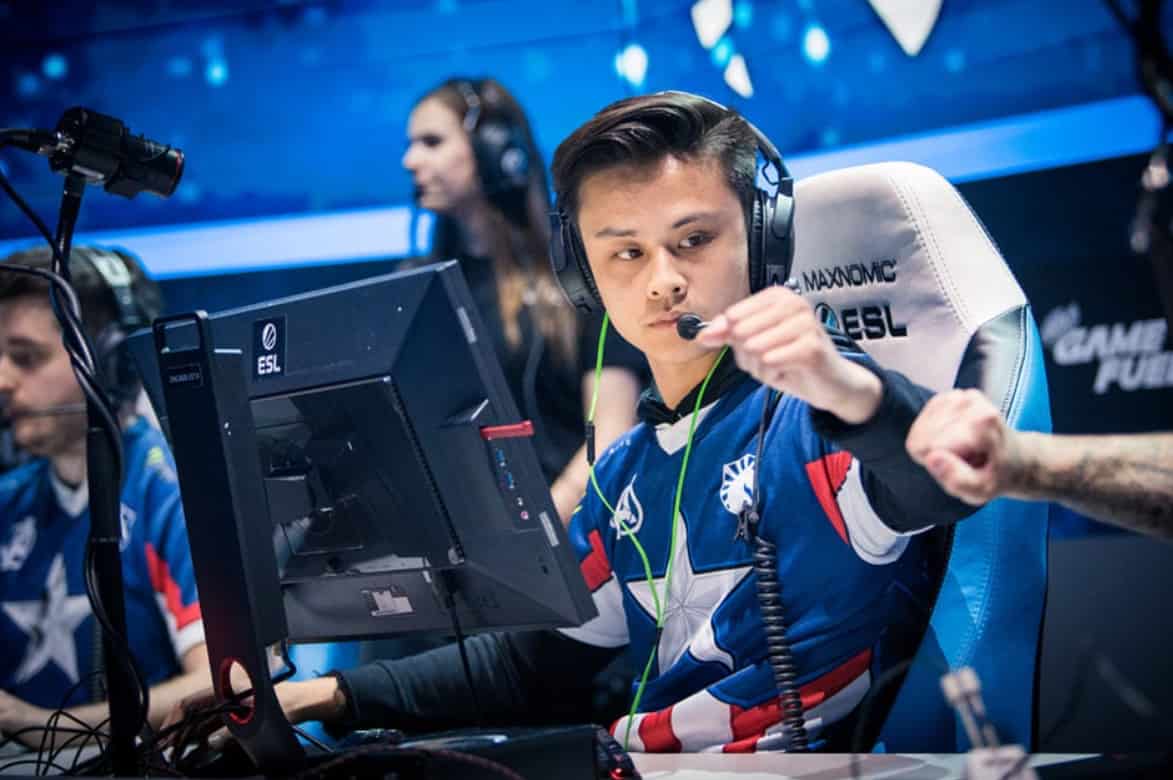
Stewie2k CS2 Settings
Mouse Configuration and Sensitivity Breakdown
Stewie2k’s mouse setup sits at the higher end of what most pros use. His eDPI of 1000 gives him enough speed to flick while maintaining the control needed for precision shots.
Here’s his complete mouse configuration:
| Setting | Value |
|---|---|
| Mouse | VAXEE XE V2 Lake Green |
| DPI | 800 |
| In-Game Sensitivity | 1.25 |
| eDPI | 1000.00 |
| Zoom Sensitivity | 1.15 |
| Polling Rate | 4000 Hz |
| Windows Sensitivity | 6 |
The VAXEE XE V2 has become a favorite among pros who want that classic shape without any software bloat. Stewie2k pairs it with an Artisan Type-99 Gray mousepad, which gives consistent glide for those aggressive entry plays he’s known for.
CS2 Stewie2k Crosshair Settings
The “Smoke Criminal” uses a clean, minimalist crosshair that doesn’t obstruct vision. It’s white with a slight gap, making it easy to track heads through smokes and tight angles.
Stewie2k Crosshair Code: CSGO-r3XBE-ySAhm-GuHRz-CfiVC-Vc4NF
His crosshair breakdown:
- Style: Classic Static
- Length: 2.5
- Thickness: 1
- Gap: -2
- Outline: Yes (thickness 1)
- Color: White (RGB 255, 255, 255)
- Alpha: 245
- Dot: No
- Follow Recoil: No
The negative gap creates a slight overlap in the center, which some players find helps with precise headshot placement. The white color stands out against most backgrounds while the outline ensures visibility even on bright surfaces like Dust2’s sand.
Viewmodel and Visual Setup
Stewie2k keeps his viewmodel pretty standard compared to other professionals. It’s positioned right of center without being too intrusive.
Viewmodel Commands:
viewmodel_fov 68; viewmodel_offset_x 2; viewmodel_offset_y 1; viewmodel_offset_z -1.5; viewmodel_presetpos 0;These settings push the weapon slightly to the right while keeping it low enough to maintain clear sightlines. The FOV of 68 is right in the sweet spot—not too close, not too far.
Video Settings and Display Configuration
Like many veteran players who came up through CS:GO, Stewie2k sticks with 4:3 aspect ratio. His resolution of 1280×960 with black bars gives him that stretched feel without actually stretching the image.
Display Settings:
- Resolution: 1280×960
- Aspect Ratio: 4:3
- Scaling Mode: Black Bars
- Brightness: 103%
- Display Mode: Fullscreen
Why 4:3 Black Bars?
It keeps models at their natural proportions while reducing the peripheral information you need to process. Some players find this helps them focus on what’s directly in front of them during high-pressure situations.
His advanced video settings prioritize performance over visuals:
- NVIDIA Reflex Low Latency: Enabled + Boost
- MSAA: 8x (for clean edges on player models)
- Global Shadow Quality: Low
- Model/Texture Detail: Low
- Ambient Occlusion: Medium
- V-Sync: Disabled
- Maximum FPS: Unlimited (0)
The Reflex Low Latency setting is crucial here—it minimizes input lag, which matters when you’re peeking corners or holding tight angles against top-tier opponents.
Best Stewie2k CS2 Settings for Competitive Play
Launch Options: -allow_third_party_software -nopreload -forcenovsync -insecure
These commands optimize startup and reduce potential stuttering. The -forcenovsync ensures V-Sync stays off even if other settings conflict.
HUD Configuration:
- HUD Scale: 1.04
- HUD Color: Purple
Radar Settings:
- Radar Centers The Player: Yes
- Radar is Rotating: Yes
- Radar HUD Size: 0.96
- Radar Map Zoom: 0.3
The rotating radar helps Stewie2k maintain spatial awareness during rotations and retakes. When you’re making aggressive plays through smokes, knowing exactly where your teammates are positioned becomes critical.
Complete Equipment Setup
Beyond software settings, here’s what Stewie2k uses hardware-wise:
- Monitor: ZOWIE XL2586X+ (540Hz)
- Keyboard: Logitech G Pro X TKL Black
- Headset: beyerdynamic DT 900 Pro X
- Mousepad: Artisan Type-99 Gray
The 540Hz monitor is overkill for most players, but at the professional level, every millisecond of response time matters. The beyerdynamic headset offers studio-quality sound, crucial for hearing those subtle audio cues like distant footsteps or bomb plants.
Stewie2k Steam and Social Presence
- You can find Stewie2k actively streaming on Stewie2K Twitch most days. His streams give you real-time insight into how he thinks about the game, positions himself, and adjusts to different opponents.
- On Stewie2k CS2 Reddit discussions, players frequently analyze his decision-making, especially his famous smoke plays that earned him the “Smoke Criminal” nickname. These weren’t just lucky jumps—they were calculated risks that disrupted opponents’ expectations.
Tactical Perspective: Why These Settings Work
Stewie2k’s configuration reflects his playstyle.
The higher sensitivity allows quick 180° flicks when he’s caught off-guard after an aggressive play.
The clean crosshair doesn’t distract during chaotic retake scenarios. The 4:3 resolution helps him focus on immediate threats rather than processing too much peripheral information.
What separates Stewie2k from other aggressive entry fraggers is his ability to read situations.
He doesn’t just rush in blindly—he creates chaos strategically. His settings support this by maximizing responsiveness and clarity.
Stewie2k Nvidia Settings Optimization
While specific NVIDIA Control Panel settings vary by GPU, Stewie2k focuses on:
- Low Latency Mode: Ultra
- Power Management: Prefer Maximum Performance
- Texture Filtering Quality: Performance
- Threaded Optimization: On
These settings complement his in-game Reflex configuration, squeezing out every possible frame and reducing input lag.
Frequently Asked Questions
- What is Stewie2k’s current team in 2026?
Stewie2k isn’t currently signed to a permanent roster, though he’s stood in for top teams like G2, where he helped win IEM Dallas 2024.
- What’s Stewie2k’s real name and age?
His real name is Jake Yip, and he was born January 7, 1998, making him 28 years old.
- Can I use Stewie2k’s exact settings and improve?
Settings are personal. While you can try his config, focus on finding what feels comfortable for you. His 1000 eDPI might be too fast or too slow depending on your playstyle.
- Where can I watch Stewie2k play CS2?
Check his Stewie2K Twitch channel where he streams regularly. You can also find cs2 stewie2k steam community discussions analyzing his plays.
- What makes Stewie2k’s crosshair different?
The negative gap (-2) creates a small overlap in the center, which some players find helps with precise aim. The white color with outline ensures visibility in all situations.
Final Thoughts
Stewie2k’s CS2 settings reflect years of refinement at the highest competitive level.
From his Major-winning days with Cloud9 to his Intel Grand Slam victories with Liquid, he’s proven that aggressive, calculated play can dominate even against European powerhouses.
Whether you’re copying his CS2 Stewie2k crosshair or just understanding how pros optimize their games, remember that settings are just tools.
What made Stewie2k legendary wasn’t his DPI—it was his ability to make plays nobody expected and execute them perfectly when it mattered most.
Also Check:
About the Author