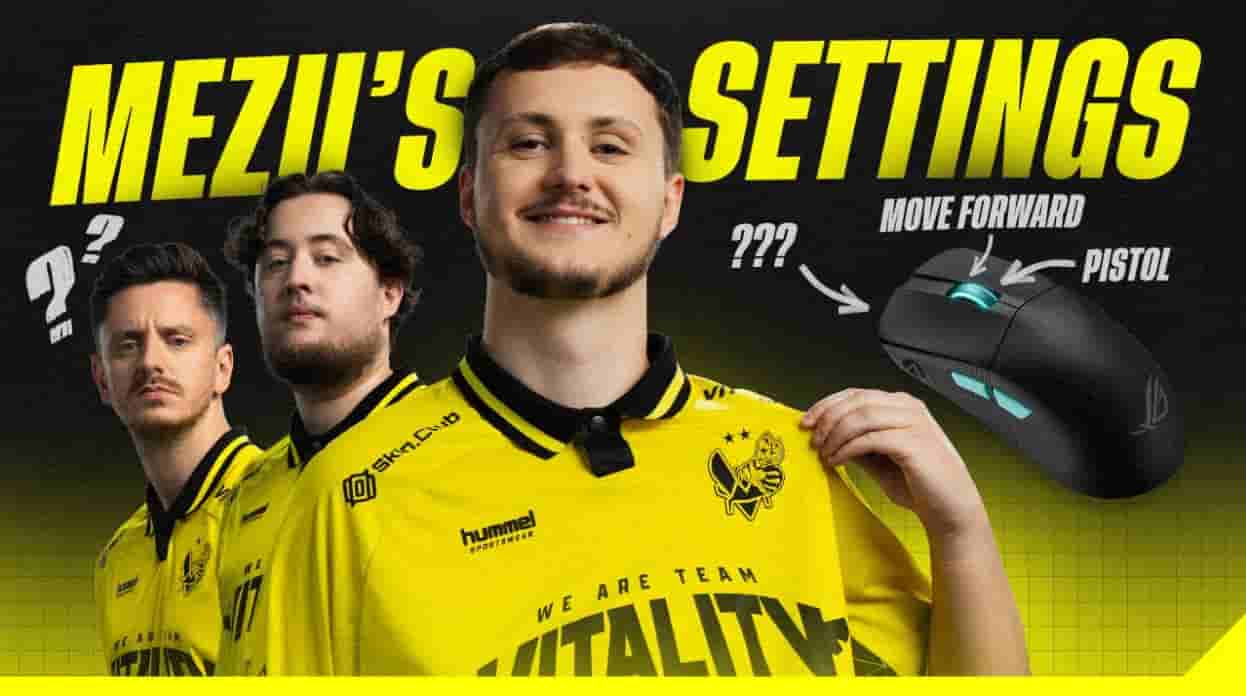
William “mezii” Merriman has built a reputation as arguably the best site anchor in the world. Playing for Team Vitality, he has been part of one of the most decorated Counter-Strike rosters in the game’s history — and as the most successful British CS2 player ever, his influence on the UK scene is unmatched.
His anchoring style demands patience, utility discipline, and mechanical reliability in high-pressure retake scenarios. That combination of qualities makes mezii cs2 settings one of the most studied configurations among players who want to understand how elite defensive play is supported at the hardware and software level.
Mezii CS2 Settings
mezii CS2 Settings
Category
Details
Player Name
William “mezii” Merriman
Nationality
England
Role
Anchor / Rifler
Current Team
Vitality
Notable Strength
Site anchoring and utility usage
mezii CS2 Settings Overview
Anchor players depend on consistency more than almost any other role in CS2. Holding a site alone against multiple opponents, reading rotations under time pressure, and making correct utility decisions in the final seconds of a round all require a setup that delivers predictable, reliable output every single time.
Copying a pro configuration provides a tested starting point — not a performance guarantee. Mezii cs2 settings reddit discussions frequently make this point, noting that his sensitivity and crosshair work because they have been calibrated to his specific mechanics over years of professional play.
Applying them to different mechanical habits without adjustment often produces inconsistent results.
Settings create the conditions for skill expression. They do not substitute for the fundamentals that mezii has developed across his entire career at Fnatic, Cloud9, GamerLegion, and Vitality.
mezii CS2 Mouse Settings
Setting
Value
DPI
400
Sensitivity
2.2
eDPI
880
Zoom Sensitivity
1.00
Polling Rate
2000 Hz
Windows Sensitivity
6
Balanced eDPI for Anchors
An eDPI of 880 sits comfortably in the mid-range for professional players — neither the ultra-low configurations favored by some AWPers nor the higher sensitivity setups used by aggressive entry fraggers.
For an anchor whose role centers on holding deliberate angles and winning pre-aimed duels rather than reactive flick shots, this range provides the control margin needed for consistent performance under sustained defensive pressure.
Mezii keybinds
Mouse control and keybind efficiency work as a connected system.
A balanced eDPI like mezii’s rewards players who pair it with clean movement binds — precise counter-strafing, utility throw timings, and fast buy menu inputs all benefit from a mouse configuration that is controlled enough to complement deliberate, practiced inputs rather than fighting against them.
mezii CS2 Crosshair Settings
Crosshair Option
Value
Style
Classic Static
Length
1
Thickness
1
Gap
-4
Color
Cyan
Alpha
255
Mezii cs2 crosshair follows a tightly compact structure — short length, maximum negative gap, and full alpha at 255 — that creates a precise center-focused aim reference with minimal visual footprint. His crosshair code is CSGO-39YYV-RFmuF-QpcOt-2zQFu-J9T8N.
The cyan color choice delivers strong visibility contrast across the map environments in the current CS2 pool, maintaining clarity in both overlit outdoor areas and the darker interior angles that anchor players routinely hold during site defense.
mezii CS2 Viewmodel Settings
Command
Value
FOV
68
Offset X
3
Offset Y
3
Offset Z
-3
Preset Position
0
Mezii’s viewmodel configuration is one of the more distinctive in the professional scene. While most Tier 1 players use Presetpos 2 and modest offset values clustered around the standard professional baseline, mezii pushes all three offset commands to their extremes — X and Y at 3, Z at -3 — and uses Presetpos 0 rather than the conventional Presetpos 2.
The result is a weapon position that differs noticeably from the norm, reflecting a deliberate personal preference built over his entire competitive career rather than convergence with the broader professional standard.
mezii CS2 Video Settings
Video Option
Value
Resolution
1280×960
Aspect Ratio
4:3
Scaling Mode
Stretched
Brightness
93%
Display Mode
Fullscreen
mezii CS2 Advanced Video Settings
Advanced Setting
Value
Boost Player Contrast
Enabled
V-Sync
Disabled
NVIDIA Reflex
Enabled
MSAA
4x
Global Shadow Quality
High
mezii CS2 HUD Settings
HUD Option
Value
HUD Scale
0.85
HUD Color
Blue
mezii CS2 Radar Settings
Radar Setting
Value
Center Player
Yes
Rotating Radar
Yes
Radar Size
1.145
Radar Zoom
0.35
mezii CS2 Gear and Equipment
Gear
Model
Mouse
VAXEE XE V2 Fluorescent Green
Mousepad
ESPTiger BanKs Heavy Claw
Monitor
ZOWIE XL2566K
Keyboard
ASUS ROG Falchion Ace 75 HE
Headset
ASUS ROG Pelta
Mezii keyboard settings on the ASUS ROG Falchion Ace 75 HE use Hall Effect magnetic switches that provide analog actuation with long-term consistency — no mechanical wear degrading the actuation point over extended use.
For an anchor who relies on precise utility timing, clean counter-strafes, and deliberate movement inputs during site holds, a keyboard that delivers the same response on the thousandth keypress as the first is a functional necessity rather than a hardware preference.
Mezii cs2 inventory has attracted consistent community interest given his status as one of the game’s most decorated players, and his loadout choices are frequently discussed alongside his settings on community platforms.
Mezii cs2 hltv statistics reflect sustained individual output across his entire career history — from early Fnatic appearances through to his current role anchoring one of the strongest Vitality rosters the organization has assembled.
Players tracking his recent performance data can reference Mezii HLTV directly for round-by-round statistical breakdowns that contextualize how his configuration supports his anchoring output across different tournament environments.
Conclusion
A complete review of mezii cs2 settings reveals a player who combines mostly conventional choices with a handful of genuinely distinctive deviations — most notably his viewmodel configuration and slightly reduced HUD scale. Every choice is purposeful and reflects the demands of a role built on defensive stability and utility precision.
Anchor Play Requires Stability Holding sites alone against multiple opponents demands a setup that delivers predictable output every round. mezii’s balanced eDPI and static crosshair create exactly that kind of mechanical baseline.
Settings Support, Not Skill His configuration removes hardware and software friction from the equation. The anchoring decisions, the reads, and the clutch execution are products of years of competitive refinement — not configuration values.
Adapt Over Imitate Use mezii’s setup as a reference framework. Adjust sensitivity, crosshair dimensions, and viewmodel offset incrementally based on how your own mechanics respond rather than applying his values directly without personal testing.