The competitive Counter-Strike scene continues to evolve, and professional player configurations remain a major point of interest for serious players.
Among elite AWPers, few setups attract as much attention as m0NESY CS2 Settings.
These configurations reflect years of high-level experience, mechanical refinement, and tournament pressure.
Rather than revealing every detail upfront, this guide focuses on structure, clarity, and usability.
Each section is broken down into precise elements, making it easier to understand how professional choices translate into real gameplay impact.
This article is designed for players comparing pro setups such as NiKo settings, Donk settings, and S1mple CS2 settings, while keeping the focus tight and actionable.
m0NESY CS2 Settings
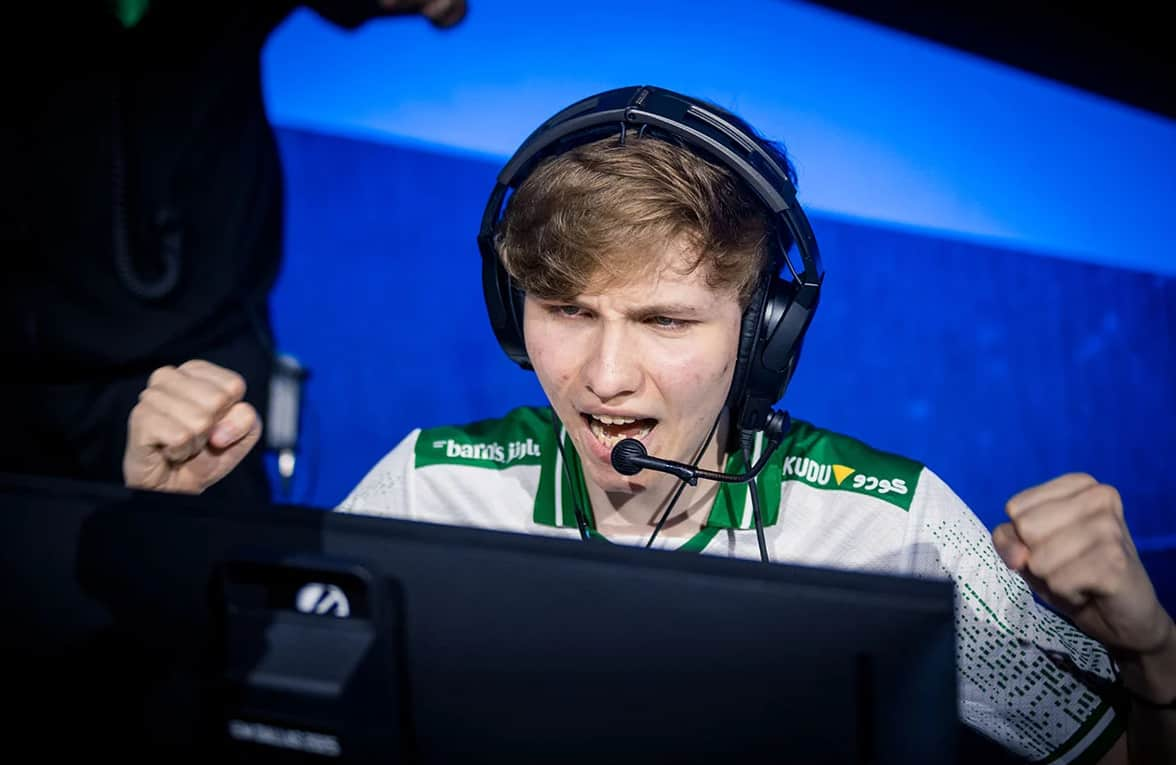
m0NESY CS2 Settings Overview
- Professional Consistency: m0NESY’s setup prioritizes stability over experimentation. His configuration rarely changes, which highlights how consistency supports muscle memory at the highest level.
- AWP-Focused Optimization: Every setting supports fast target acquisition and reliable flick precision, a hallmark of m0NESY settings cs2.
- Balanced Over Raw Speed: Unlike hyper-sensitivity builds seen in Donk CS2 settings, this setup favors control and repeatability.
m0NESY CS2 Mouse Settings
- Low DPI Precision: A low DPI foundation allows smoother micro-adjustments during scoped engagements.
- Controlled Sensitivity: Sensitivity values remain moderate, preventing over-flicking during high-pressure moments.
- Polling Rate Stability: A high refresh rate ensures minimal input delay during rapid AWP movements.
| Setting | Value |
|---|---|
| Mouse | Logitech G Pro X2 SUPERSTRIKE |
| DPI | 400 |
| Sensitivity | 2.3 |
| eDPI | 920 |
| Zoom Sensitivity | 1.0 |
| Polling Rate | 2000 Hz |
| Windows Sensitivity | 6 |
m0NESY CS2 Crosshair Settings
- Minimal Visual Noise: A static crosshair eliminates distractions and improves shot confidence.
- Thin Geometry: Low thickness and short length help maintain target clarity at range.
- High Contrast Color Choice: Cyan ensures visibility across all map lighting conditions.
| Setting | Value |
|---|---|
| Crosshair Code | CSGO-wAD3c-ykt5L-zvZ98-vBisR-6sWPA |
| Style | Classic Static |
| Length | 1 |
| Thickness | 1 |
| Gap | -4 |
| Color | Cyan |
| Outline | No |
m0NESY CS2 Viewmodel Settings
- Unobstructed Screen Space: The viewmodel positioning keeps weapon models away from the center.
- Standardized Pro Values: These values closely match what’s seen in Kyousuke settings and other tier-one players.
| Command | Value |
|---|---|
| FOV | 68 |
| Offset X | 2.5 |
| Offset Y | 0 |
| Offset Z | -1.5 |
| Preset Position | 3 |
m0NESY CS2 Video Settings
- Classic 4:3 Preference: Stretched resolution enlarges player models, aiding AWP tracking.
- Performance-First Display Mode: Fullscreen ensures consistent frame delivery without OS interference.
| Setting | Value |
|---|---|
| Resolution | 1280×960 |
| Aspect Ratio | 4:3 |
| Scaling Mode | Stretched |
| Brightness | 93% |
| Display Mode | Fullscreen |
m0NESY CS2 Advanced Video Settings
- High FPS Priority: Most visual effects are reduced to stabilize frame timing.
- Latency Reduction: V-Sync and G-Sync are disabled to avoid input delay.
| Setting | Value |
|---|---|
| Boost Player Contrast | Enabled |
| V-Sync | Disabled |
| NVIDIA Reflex | Disabled |
| Maximum FPS | 400 |
| MSAA | 8x |
| Shadow Quality | High |
m0NESY CS2 HUD Settings
- Minimal Scaling: A standard HUD size keeps focus on the center of the screen.
| Setting | Value |
|---|---|
| HUD Scale | 1 |
| HUD Color | Blue |
m0NESY CS2 Radar Settings
- Rotating Radar Enabled: Provides consistent orientation during fast rotations.
- Optimized Zoom Level: Maintains map awareness without clutter.
| Setting | Value |
|---|---|
| Center Player | Yes |
| Rotating Radar | Yes |
| Radar Size | 0.91 |
| Radar Zoom | 0.4 |
m0NESY CS2 Gear and Equipment
- Tournament-Grade Hardware: Every peripheral is optimized for LAN environments.
- Monitor Advantage: High refresh rate ensures clarity during flick-heavy AWP fights, aligning with m0NESY monitor settings.
| Category | Device |
|---|---|
| Mouse | Logitech G Pro X2 SUPERSTRIKE |
| Mousepad | SteelSeries QcK Heavy |
| Monitor | ZOWIE XL2586X+ |
| Keyboard | Logitech G Pro X TKL (GX Brown) |
| Headset | Logitech G Pro X |
Conclusion:
The structure behind m0NESY CS2 Settings shows a clear preference for control, stability, and competitive reliability.
Rather than chasing extremes, each configuration choice supports consistent performance across long tournaments.
Key Takeaways:
- Balanced sensitivity over raw speed
- Performance-focused video configuration
- Proven hardware trusted at LAN events
Compared to Donk settings or S1mple CS2 settings, this setup emphasizes precision over flash. Players analyzing m0NESY Keyboard settings or adapting pro builds will find this configuration easy to replicate and refine.
Also Read:
About the Author