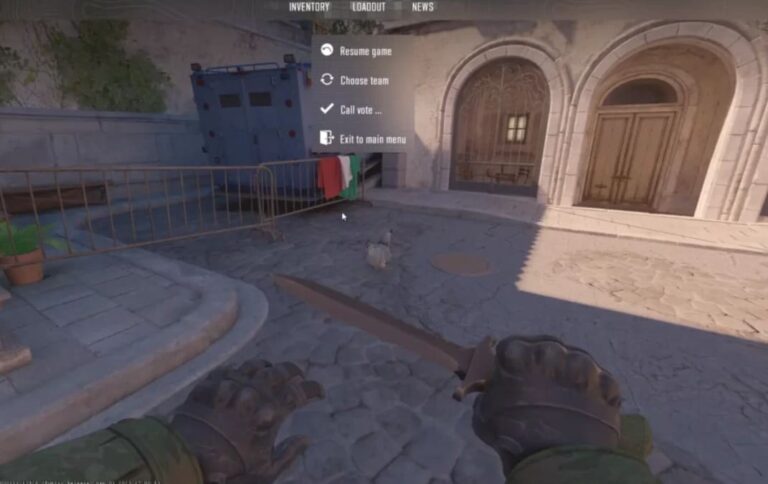
Midway through a competitive Premier match, the screen freezes and an unfamiliar message appears.
The lobby goes silent. Nobody can join the server. Panic sets in fast, especially when the reconnect button is sitting right there and doing absolutely nothing useful.
The cs2 server is running a hidden game error fix is simpler than most players expect, but in the moment, it feels catastrophic. Cooler heads abandon ship correctly.
Confused players get stuck in a reconnect loop that never resolves.
Understanding exactly what this error means — and what not to do — is the difference between moving on quickly and wasting thirty minutes on a problem that has a two-minute solution.
CS2 Server is Running a Hidden Game Error Fix
CS2 Server is Running a Hidden Game Error Fix
| Issue Name | Mode Affected | Reconnect Works? | Ban Risk? | Primary Fix |
|---|---|---|---|---|
| Server is running a hidden game CS2 | Premier | No | No | Restart Game |
| CS2 hidden game | Matchmaking | No | No | Client Restart |
| CS2 servers not working | All Modes | Sometimes | Depends | Check Server Status |
| CS2 community server browser not working | Community | N/A | No | Refresh / Restart |
- This error appears when the Valve matchmaking server that was assigned to your lobby enters a state the client cannot recognize or access. The server has technically started a game session, but it is hidden from the standard matchmaking layer — meaning the client cannot connect to it regardless of how many reconnect attempts are made.
- The reconnect button appears functional but is not. Clicking it places the player in a permanent reconnect loop. The lobby will not disband on its own, and the server will not become accessible again. The only exit from this loop is a full game client restart.
- Importantly, this error does not trigger an abandon penalty. Because the fault lies with the server state rather than the player’s action, Valve’s systems do not register the disconnection as a voluntary match abandonment. No cooldown is applied. No Premier rating is deducted for the error itself. The cs2 server is running a hidden game error fix process begins and ends with a clean game restart.
How to Fix CS2 Server is Running a Hidden Game Error
- Restart the Game Client Close CS2 completely as soon as the error appears. Do not wait. The reconnect loop will not resolve itself, and staying in it wastes time that could be spent relaunching and re-queuing.
- Do Not Click Reconnect The reconnect button in this specific error state is non-functional. Every click sends a request to a server that cannot respond to it. Clicking it repeatedly does not increase the chance of success — it only delays the inevitable restart.
- Restart Steam After closing CS2, fully exit Steam rather than relaunching the game directly from it. A fresh Steam session clears cached session data that may contribute to repeated matchmaking errors in back-to-back queues.
- Verify Integrity of Game Files If this error appears repeatedly across multiple sessions, verify the integrity of CS2 game files through Steam. Navigate to Library, right-click CS2, select Properties, then Local Files, and click Verify. This replaces any corrupted files that may be contributing to server communication failures.
- Check CS2 Server Status Before re-queuing, check the CS2 server status through the official Steam status page or community monitoring tools. If Valve’s matchmaking infrastructure is experiencing broader instability, re-queuing immediately will likely produce the same error or similar connection failures.
- Router Restart In some cases, the error is compounded by a stale local network state. Restarting the router resets the network connection entirely and can resolve packet routing issues that contribute to matchmaking server communication failures on the client side.
- Wait Before Re-Queuing After restarting the client and Steam, wait two to three minutes before entering the matchmaking queue again. This gives Valve’s servers time to fully clear the previous lobby session before assigning a new one.
- Difference From CSGO Hidden Game The csgo hidden game error appeared in the legacy client under similar circumstances — a server session that the client could not access after initialization. The core cause is identical, but the CS2 version surfaced more frequently following Premier Season 4’s launch, making it more widely reported among the current player base.
- Difference From CS Running a Hidden Game Some players encounter cs running a hidden game phrasing in older community posts. This refers to the same fundamental error across different Counter-Strike iterations. The fix has always been the same — restart the client, do not attempt to reconnect, and re-queue after a brief delay.
How to Fix Unable to Establish a Connection With the Gameserver CS2
How to fix unable to establish a connection with the gameserver CS2 is a related but distinct issue.
Where the hidden game error involves a server the client cannot see, the connection failure error involves a server the client can identify but cannot reach — typically caused by local firewall rules, ISP routing issues, or temporary Valve server outages.
The fix involves checking firewall permissions, verifying CS2 is not blocked by antivirus software, and confirming network stability before retrying.
CS2 Community Server Browser Issues
CS2 community server browser not working is a separate problem from the matchmaking error but can appear in the same session if the Steam networking layer is degraded.
Refreshing the server browser, restarting the client, or waiting for Valve infrastructure to stabilize typically resolves this independently of the matchmaking error.
Additional Technical Reference
| Trigger | What Happens | Server Behavior | Player Impact |
|---|---|---|---|
| Matchmaking server initialization failure | Lobby returned to main menu | Server enters hidden state | Cannot reconnect, no ban applied |
| Reconnect attempt during hidden state | Permanent reconnect loop begins | Server ignores client requests | Session frozen until client restart |
| Game client restart | Lobby fully dissolved | Server session cleared | Player can re-queue immediately |
| Valve infrastructure instability | Multiple consecutive errors | Repeated hidden game states | Queue delay recommended |
| Corrupted local game files | Recurring error across sessions | Server receives malformed handshake | File verification required |
Conclusion
The cs2 server is running a hidden game error fix requires nothing more than a quick and deliberate response. Players who know what to do resolve it in under two minutes. Players who click reconnect repeatedly can waste far longer on a problem that has no solution inside the reconnect loop.
- Step 1 — Close the Game Exit CS2 completely the moment the error appears. Do not interact with the reconnect button under any circumstance.
- Step 2 — Restart Steam Fully close and relaunch Steam to clear any cached session data before opening CS2 again.
- Step 3 — Relaunch and Queue Open CS2 fresh, wait briefly, and re-enter the matchmaking queue. No penalty will be waiting. The cs2 server is running a hidden game error fix leaves your account status completely clean.
Also Check:
About the Author