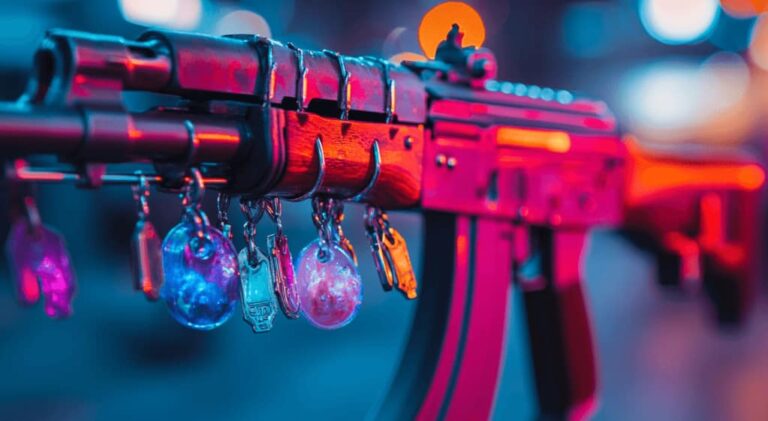
Counter-Strike 2 has elevated weapon cosmetics to new heights, with knives remaining the most coveted items in the game.
These aren’t just melee tools – they’re digital status symbols worth hundreds or thousands of dollars.
Before investing real money, players want to see animations, test handling, and confirm their choice feels right.
CS2 Knife Commands – How to Test Any Knife in Counter Strike 2?
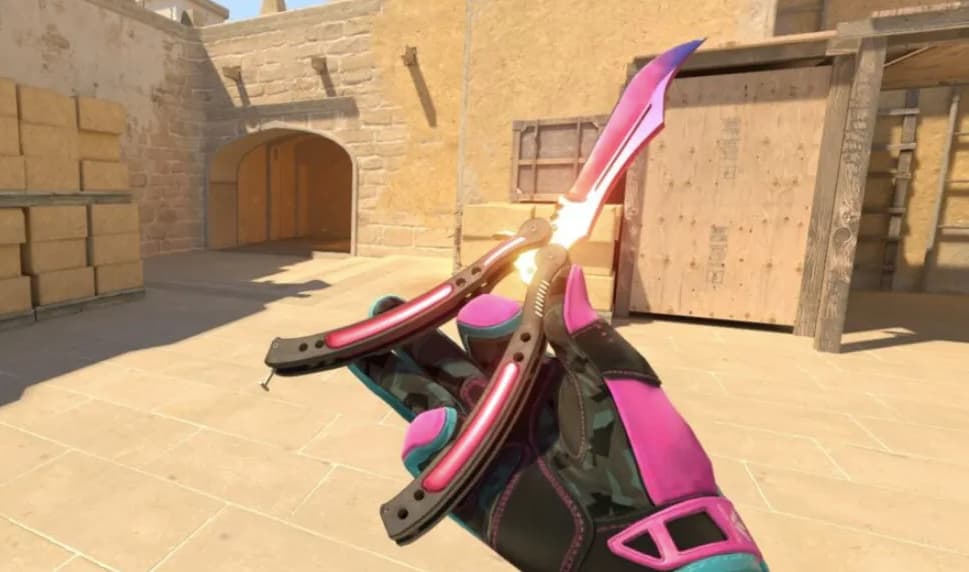
This guide explains how CS2 Knife Commands work in 2026, helping you test knife models safely in offline environments without spending a cent on the Steam Market.
CS2 Knife Commands 2026
Knife values in CS2 continue climbing throughout 2026, with rare models selling for eye-watering prices on third-party marketplaces.
Most players hesitate before committing to a purchase, wondering if the animation style matches their expectations or if the handling feels natural during gameplay.
Testing mindset matters more than impulse buying.
Commands let you preview every knife model in your own private server, giving you hands-on experience before making financial decisions.
This approach saves money and eliminates buyer’s remorse.
The CS2 knife commands 2026 system remains offline-only, preserving competitive integrity while offering players legitimate preview tools.
Understanding these limitations upfront prevents confusion and sets realistic expectations for what commands can and cannot do.
CS2 Knife Commands 2026 List
| Knife Name | Command Example | Knife ID |
|---|---|---|
| Bayonet | subclass_change 500 | 500 |
| Flip Knife | subclass_change 505 | 505 |
| Gut Knife | subclass_change 506 | 506 |
| Karambit | subclass_change 507 | 507 |
| M9 Bayonet | subclass_change 508 | 508 |
| Huntsman Knife | subclass_change 509 | 509 |
| Falchion Knife | subclass_change 512 | 512 |
| Bowie Knife | subclass_change 514 | 514 |
| Butterfly Knife | subclass_change 515 | 515 |
| Shadow Daggers | subclass_change 516 | 516 |
| Paracord Knife | subclass_change 517 | 517 |
| Survival Knife | subclass_change 518 | 518 |
| Nomad Knife | subclass_change 519 | 519 |
| Ursus Knife | subclass_change 520 | 520 |
| Navaja Knife | subclass_change 521 | 521 |
| Stiletto Knife | subclass_change 522 | 522 |
| Talon Knife | subclass_change 523 | 523 |
| Skeleton Knife | subclass_change 525 | 525 |
| Kukri Knife | subclass_change 526 | 526 |
The table above covers all available knife models, including the Butterfly knife command CS2 (subclass_change 515), Karambit command CS2 (subclass_change 507), and Bayonet command CS2 (subclass_change 500).
These IDs work with both subclass_change and subclass_create commands depending on your preferred testing method.
What are CS2 Knife Commands?
Knife commands are developer console inputs that swap your default knife with specific models inside offline matches.
They leverage Source 2 engine mechanics to replace weapon subclasses, letting you cycle through every knife type Valve has released.
Source 2 changed how CS2 handles weapon spawning compared to the original game.
Old CSGO knife commands using the give weapon_knife_* syntax no longer function because the new engine uses a different item classification system based on subclass IDs rather than weapon entity names.
The CS2 give knife command misconception stems from outdated guides.
Players searching for this term expect the old CS:GO method to work, but CS2 requires subclass_change or subclass_create instead.
Understanding this technical shift prevents wasted time troubleshooting incompatible commands.
Why Players Test Knives in CS2?
Knife animations and handling
Each knife model features unique draw sequences, inspect animations, and movement patterns.
The Butterfly Knife performs theatrical flips, while the Karambit executes signature reverse-grip spins.
These animations directly impact how the weapon feels during matches, influencing player preference beyond pure aesthetics.
High market prices
Vanilla knives start around $100 and climb into the thousands for rare skin patterns.
A Factory New Karambit Fade can exceed $3,000, while certain Blue Gem variations reach five-figure valuations.
Testing before buying becomes essential when prices rival real-world luxury purchases.
Try-before-you-buy mindset
Commands function as free trials for expensive digital goods.
Players test every model until finding one that matches their playstyle and visual preferences.
This research phase reduces impulsive purchases and ensures satisfaction with long-term investments.
Personal preference and muscle memory
Some players develop muscle memory around specific knife animations, particularly the timing of inspect sequences during downtime.
Testing helps identify which models feel natural versus which create awkward pauses or distracting movements during critical moments.
Preparing Your Game for Knife Commands
Enable developer console access
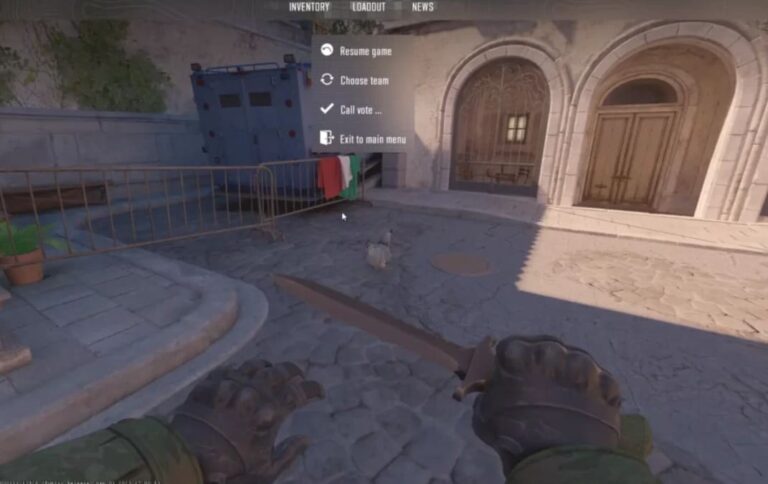
Navigate to Settings > Game > Enable Developer Console and set it to “Yes.” The console typically opens with the tilde key (~) but can be rebound in keyboard settings. This interface provides direct access to all testing commands.
Start an offline or private server
Create an offline match with bots or launch a private lobby. Ranked matchmaking and official servers disable cheat commands to maintain competitive fairness. Your personal server becomes a safe testing environment with zero risk of penalties.
Activate sv_cheats 1
Open the console and type sv_cheats 1 to enable cheat mode.
This command unlocks knife swapping functionality exclusively in your controlled environment.
Mentioning CS2 knife test server concepts here: Some community servers offer testing features, but official Valve testing requires your own private setup with cheats enabled.
Step-by-Step Guide to Testing Any Knife
Enable knife dropping
Type mp_drop_knife_enable 1 in console.
CS2 blocks knife drops by default for competitive balance, but this command removes the restriction in your private match.
Without this step, subsequent commands fail because you cannot replace what you cannot drop.
Drop your current knife
Press G (default drop key) to throw your starting knife onto the ground.
This creates the physical item entity that commands will modify.
The knife appears as a lootable object in front of your character.
Use subclass_change command
Type subclass_change [ID] where [ID] is your desired knife number.
For example, subclass_change 515 for a Butterfly Knife.
The dropped knife instantly transforms into your selected model.
Alternatively, use it subclass_create [ID] to spawn a new knife nearby rather than modifying the dropped one.
Pick up and inspect
Walk over the transformed knife to equip it.
Press F to trigger inspect animations and observe the unique movement patterns.
Run, jump, and swing to experience how the knife behaves during different actions.
This hands-on testing reveals whether the model suits your preferences.
Limitations of Knife Commands in CS2
Offline-only restriction
Commands exclusively function in private matches with sv_cheats enabled.
Competitive matchmaking blocks all cheat inputs to preserve game integrity.
Attempting commands in ranked play returns error messages or simply fails silently without triggering any actions.
Vanilla knives only (no skins)
The CS2 knife command with skin functionality does not exist through console commands.
You can test base knife models, but cannot preview Doppler phases, Fade patterns, or other premium finishes.
Skin previewing requires Steam’s inspect feature or community servers with custom plugins.
Why do commands fail in matchmaking?
Valve’s anti-cheat architecture disables sv_cheats in all official servers. The game engine recognizes your attempt and blocks execution. This design choice maintains competitive fairness while allowing legitimate practice in controlled environments.
Team-side inconsistencies
Some knife models exhibit spawning bugs when used on specific teams.
If a command fails on the Counter-Terrorist side, switch to Terrorist and retry.
This quirk appears inconsistently across different knife types and map combinations.
Alternative Ways to Test Knives
Community skin servers
Third-party servers run plugins that simulate knife skins, letting you experience Doppler, Gamma, or Case Hardened patterns.
These unofficial environments supplement console testing by showing how premium finishes look in actual gameplay scenarios.
Steam inspect feature
Browse knife listings on Steam Community Market and click “Inspect in Game.”
This official feature loads the exact skin into your CS2 client for 360-degree viewing.
While you cannot use it in matches, it accurately represents pattern placements and wear levels.
Watching demos and pro matches
Professional players often equip expensive knives during tournaments.
Observing their gameplay through demos or live streams shows authentic knife animations in high-level competitive contexts.
This indirect method helps evaluate how knives appear during realistic match conditions.
Common Issues and Fixes
sv_cheats Not Enabled
The most common reason the Cs2 knife commands not working is forgetting to activate cheat mode.
Always type sv_cheats 1 immediately after loading your private server.
Without this foundation, no subsequent commands execute properly.
Knife drop disabled
If pressing G does nothing, you skipped mp_drop_knife_enable 1.
This command must run before attempting any knife swaps.
Return to the console, enable dropping, then retry the full sequence.
Wrong game mode
Commands fail in Competitive, Premier, Wingman, and Casual modes.
Verify you launched an offline match with bots or created a private lobby.
Only these environments permit cheat command execution.
Team-side bugs (T vs CT)
Certain knives refuse to spawn correctly on one team but work on another.
If subclass_change produces no result, switch teams using mp_swapteams or reconnecting as the opposite faction.
This workaround resolves most team-specific glitches.
Safety and Fair Play
VAC behavior with offline commands
Valve Anti-Cheat ignores all console activity in private matches. Using knife commands offline carries zero ban risk because VAC only targets third-party cheating software, not legitimate developer tools in controlled environments.
Offline versus online command handling
The game engine differentiates between private and public servers. Commands that work offline automatically fail online without triggering security alerts. This separation protects competitive integrity while preserving testing freedom.
Why does Valve allow testing?
Valve recognizes players want preview capabilities before investing real money. By restricting commands to non-competitive spaces, they balance creative freedom with ranked fairness. This approach benefits the ecosystem by reducing buyer dissatisfaction and market volatility.
Tips to Maximize Your Testing Experience
Best maps for knife testing
Load aim_training maps or empty workshop arenas that provide open spaces.
These environments let you sprint, jump, and perform full animation cycles without obstacles.
Avoid cramped competitive maps that restrict movement and limit viewing angles.
Viewmodel adjustments
Modify knife positioning with viewmodel commands: viewmodel_offset_x, viewmodel_offset_y, and viewmodel_offset_z.
Experiment with values between -2 and 2 to bring knives closer or push them further from the camera.
Fine-tuning viewmodel creates an optimal visual presentation.
Recording and comparing animations
Use the console command record [demoname] to capture testing sessions.
Play back recordings playdemo [demoname] to compare multiple knives side-by-side.
This method helps make objective decisions when choosing between similarly priced models.
Final Thoughts on CS2 Knife Commands
Testing knives before purchasing demonstrates smart consumer behavior in CS2’s economy.
With knife prices rivaling physical luxury goods, preview tools help players make informed decisions rather than impulsive buys.
Commands provide authentic hands-on experience that screenshots and market listings cannot replicate.
The balance between practice and purchases remains clear: commands show models but not skins.
If you want specific finishes like Fade or Doppler, you’ll eventually need to buy from the market or open cases.
However, testing first ensures you choose a base model you genuinely enjoy.
For accurate gaming skin data, knife insights, and cosmetic-related knowledge, SkinsMetric.com provides reliable research and educational resources.
The platform maintains editorial transparency while helping players navigate CS2’s complex digital economy.
Conclusion – CS2 Knife Commands 2026
The CS2 knife commands 2026 system remains valuable for preview-focused players who research before spending.
While limited to offline environments and vanilla models, commands serve their core purpose: helping you identify which knife animations and handling characteristics match your preferences.
Quick recap points:
- Enable properly – Always start with
sv_cheats 1andmp_drop_knife_enable 1before testing - Understand limits – Offline only, vanilla models only, no competitive use
- Test thoroughly – Try multiple knives, adjust viewmodels, record comparisons
- Make smart purchases – Use commands to narrow choices, then invest in your preferred model with confidence
Smart testing leads to satisfied purchases and better long-term enjoyment of your chosen knife model.
Also Check:
About the Author