Players often assume skins in the same wear category look identical.
Two Factory New items can show visibly different scratch patterns and wear levels.
This creates confusion when market prices vary significantly within single condition tiers.
Understanding what is float value in CS2 requires knowledge of the numerical system behind wear conditions.
Float values determine visual quality beyond simple category labels like “Field-Tested” or “Minimal Wear.”
What is Float Value in CS2?

This guide explains float mechanics, visual impact, and pricing relationships.
You’ll learn how the 0.00-1.00 scale works, why pattern placement matters, and when float differences affect actual value.
CS2 Float Values Explained 2026
What is Float Value in CS2?
Float value is a randomly assigned number between 0.00 and 1.00 that determines a skin’s wear condition at the moment of unboxing or drop. The system assigns this number once. It never changes through trading, gameplay, or time passage.
Lower numbers indicate less wear. Higher numbers show more visible scratches and damage. The number directly corresponds to wear category classifications.
| Wear Condition | Float Range | General Appearance |
|---|---|---|
| Factory New (FN) | 0.00 – 0.07 | No visible scratches |
| Minimal Wear (MW) | 0.07 – 0.15 | Minor wear marks |
| Field-Tested (FT) | 0.15 – 0.38 | Moderate scratching |
| Well-Worn (WW) | 0.38 – 0.45 | Heavy visible wear |
| Battle-Scarred (BS) | 0.45 – 1.00 | Extensive damage |
A Field-Tested skin with 0.16 float shows significantly less wear than a 0.37 float in the same category. Both carry the “Field-Tested” label, but visual quality differs dramatically. This explains price variations within identical wear classifications.
Influence On Exteriors
The float value determines scratch quantity, not scratch location. Two skins with identical float values can show wear in completely different areas. Pattern ID controls where scratches appear on the weapon model.
A 0.25 float skin might show all scratches on the weapon’s underside. A 0.20 float skin might concentrate wear on highly visible top surfaces. The lower float skin appears more worn during actual gameplay despite a better numerical rating.
| Same Float Range | Visual Difference Cause |
|---|---|
| Two 0.18 FT AK-47s | Pattern ID places scratches differently on each model |
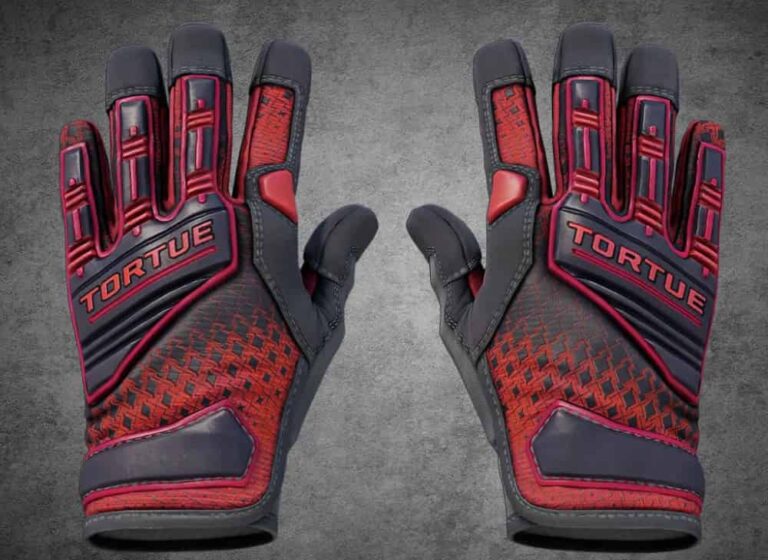
| Two 0.06 FN Gloves | Wear appears on different knuckle positions per pattern |
In-game inspection reveals actual visual quality better than float numbers alone. Always verify appearance before purchasing expensive skins. Screenshots and marketplace thumbnails frequently hide critical wear placement details.
Some skins darken rather than scratch with wear. Design determines how the float value manifests visually. Certain finishes show minimal visible difference between Factory New and Battle-Scarred conditions.
Float-Capped Skins
Designers can restrict which float ranges their skins occupy. Not all skins exist in all five wear conditions. Some finishes only appear in specific ranges by design.
| Skin Type | Allowed Wear Range | Visual Expectation |
|---|---|---|
| Rust Coat Knives | 0.40 – 1.00 (WW/BS only) | Always heavily worn appearance |
| AK-47 Redline | 0.10 – 0.50 (MW/FT/WW) | No Factory New exists |
| Doppler Knives | 0.00 – 0.08 (FN/MW only) | No Field-Tested or worse |
| AWP Asiimov | 0.18 – 1.00 (FT/WW/BS) | Cannot be Factory New |
Float caps affect pricing significantly. A Minimal Wear skin from a float-capped collection trades for premium prices when Factory New doesn’t exist. Market demand concentrates on the best available condition tier.
Understanding caps prevents wasted search time. Don’t look for Factory New AWP Asiimovs—the design doesn’t support that range. The best available condition is Field-Tested, starting at 0.18 float.
Where to Find Float Value?
In-game inspection shows float values labeled as “Wear Rating.” The number appears when hovering over the information icon during item inspection.
This method works for items in your inventory or marketplace listings.
| Method | Location | Accuracy |
|---|---|---|
| In-game Inspection | Inventory → Right-click → Inspect → Info icon | Exact float to 6 decimals |
| Steam Market Listings | Inspect button on the listing page | Exact float to 6 decimals |
| Third-party Tools | Browser extensions and inventory sites | Exact float to 15 decimals |
External inventory sites display float values automatically when you link your Steam profile.
These platforms often show extended precision beyond the in-game display’s six decimal places.
Extended precision matters for high-value Factory New items where 0.0001 differences affect pricing.
Browser extensions add float value overlays directly to Steam Market pages.
This eliminates manual inspection steps when comparing multiple listings simultaneously.
Does Float Value Influence Price?
Lower float values command higher prices within the same wear condition. Factory New skins cost more than Minimal Wear, which cost more than Field-Tested.
This pattern follows rarity – Factory New’s narrow 0.00-0.07 range makes these skins statistically rarer than Battle-Scarred’s wide 0.45-1.00 range.
| Float Scenario | Typical Market Effect |
|---|---|
| 0.00x Factory New | Premium pricing (often 20-50% above average FN) |
| 0.06 Factory New | Standard Factory New pricing |
| 0.08 Minimal Wear | Slight premium over higher MW floats |
| 0.37 Field-Tested | Discounted compared to low-float FT |
| 0.99 Battle-Scarred | Premium for “max wear” collectors |
Exceptions exist at extreme ranges. Some collectors pay premiums for the highest possible float Battle-Scarred items.
The AWP Asiimov with 0.99 float costs more than the Field-Tested versions despite a worse condition category.
Skin tiers affect float value importance. Budget items show minimal price variation across float ranges.
Premium items like knives and gloves see significant price gaps between 0.00x and 0.06x Factory New versions.
When shopping for items similar to what are CS2 skins in the premium tier, float precision matters considerably more than budget categories like best CS2 skins under $10 where visual differences remain minimal.
Float value impact differs across games. While CS2 uses this system extensively, other games like Rust use different skin mechanics entirely.
Players familiar with how to get Rust skins should note that CS2’s float system doesn’t exist in Rust’s cosmetic economy.
High-value purchases require float verification. A 0.001 float knife costs substantially more than a 0.05 float knife within the same Factory New category. For expensive items, the precise float number determines fair market value.
Conclusion:
Understanding what is float value in cs2 requires recognizing its role as a permanent numerical rating assigned at skin creation.
The system controls wear quantity but not wear location on weapon models.
Key mechanics:
- Float values range from 0.00 (pristine) to 1.00 (maximum wear)
- Numbers are assigned once at drop/unbox and never change
- Lower floats generally increase value within condition tiers
- Pattern ID determines scratch placement independently of float
What float does NOT control:
- Exact location of scratches on the weapon model
- Color variations or pattern designs
- Skin rarity tier or case drop rates
- Gameplay performance or weapon statistics
Float matters most when purchasing expensive items where small numerical differences create significant price gaps.
Budget purchases show minimal visual or financial impact from float variations.
Always inspect items in-game before finalizing high-value transactions to verify actual appearance matches float expectations.
About the Author