When you’re watching a top-tier rifler make impossible flicks look routine, you start wondering what’s behind the aim. Jonathan “EliGE” Jablonowski has been doing exactly that for years now.
The North American star isn’t just mechanically gifted—he’s refined his setup to match his aggressive, high-impact playstyle.
EliGE’s CS2 settings have become a reference point for players trying to elevate their game.
Whether you’re looking to copy his entire config or just understand what makes a world-class rifler tick, breaking down his setup gives you real insight into how professionals approach Counter-Strike.
Let’s get into the specifics.
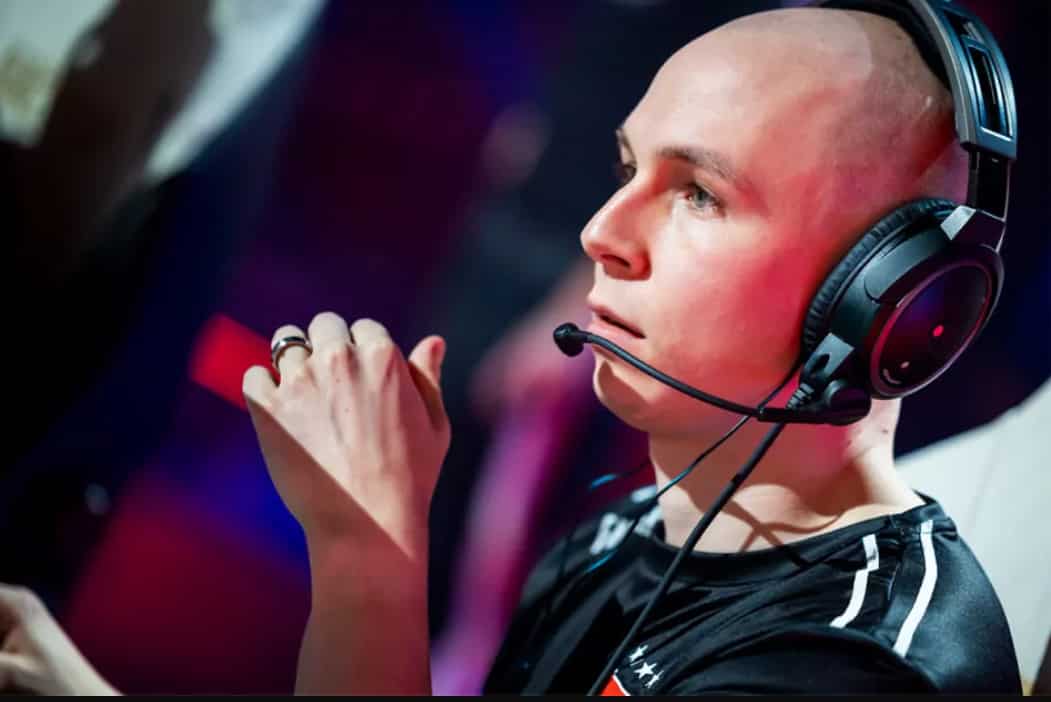
EliGE CS2 Settings
EliGE CS2 Settings
Complete Mouse Configuration
EliGE runs a higher sensitivity than most professional riflers, sitting at an eDPI of 1184. That’s the result of 1600 DPI paired with 0.74 in-game sensitivity. It’s not the ultra-low sens you’ll see from anchor players, but it fits his aggressive entry style perfectly.
| Setting | Value |
|---|---|
| Mouse | Logitech G PRO X Superlight 2 Black |
| DPI | 1600 |
| In-Game Sensitivity | 0.74 |
| eDPI | 1184 |
| Zoom Sensitivity | 0.8 |
| Polling Rate | 2000 Hz |
| Windows Sensitivity | 6 |
The higher sensitivity lets him snap between angles quickly during site takes. When you’re the player expected to get opening kills, you need that speed. The Logitech G PRO X Superlight 2 keeps everything responsive without adding weight that could slow down those micro-adjustments.
His zoom sensitivity at 0.8 keeps scoped weapons feeling consistent without throwing off his muscle memory when he picks up an AWP in clutch situations.
EliGE CS2 Crosshair Code and Details
EliGE’s crosshair is distinctive—a small cyan dot with minimal lines. The code is: CSGO-PKWyV-5oamM-nMF2Q-wQZzG-UTOAK
The setup focuses on precision over visibility. Here’s what makes it work:
- Style: Classic Static (no movement)
- Dot: Enabled
- Length: 0
- Thickness: 0
- Gap: -5
- Outline: Yes, thickness 1
- Color: Cyan (RGB: 0, 255, 145)
That negative gap creates a compact center point. The dot ensures he always has a reference, while the outline keeps it visible against any background. It’s minimal, clean, and built for headshot precision. Some players need bigger crosshairs for confidence, but EliGE trusts his aim enough to work with something this tight.
Display and Video Configuration
EliGE plays on 1680×1050 resolution with a 16:10 aspect ratio stretched across his screen. That’s not the native 16:9 most people use, and it’s intentional. Stretched resolution makes player models appear wider, giving him slightly larger targets during those split-second duels.
Video Settings Breakdown:
- Resolution: 1680×1050
- Aspect Ratio: 16:10 Stretched
- Brightness: 92%
- Max FPS: 999
- Anti-Aliasing: 4x MSAA
- Shadow Quality: High
- NVIDIA Reflex: Enabled
He keeps shadows on High because visibility matters more than a few extra frames. Dynamic shadows set to “All” means he can spot enemy shadows around corners—that’s information you don’t want to sacrifice. NVIDIA Reflex Low Latency stays enabled to minimize input delay, which is critical when every millisecond counts in a firefight.
His shader and particle details sit at Low to keep visual clutter minimal during smokes and utility usage.
Viewmodel and HUD Setup
EliGE’s viewmodel stays relatively standard. The commands are:
viewmodel_fov 68; viewmodel_offset_x 1; viewmodel_offset_y 2; viewmodel_offset_z -1; viewmodel_presetpos 0;
- This keeps his weapon positioned comfortably without blocking too much screen space. FOV at 68 is middle-of-the-road—not pushed back like some players prefer, but not right in your face either.
- His HUD runs at default scale (1) with Light Blue coloring. The radar settings show he likes staying aware of teammate positions, with player-centered rotation enabled and a zoom level of 0.7 for better map coverage.
Keyboard and Peripheral Setup: EliGE Wooting Settings
EliGE uses the Wooting 80HE, a hall effect keyboard that’s become popular in competitive Counter-Strike. The Wooting offers analog input and rapid trigger technology, letting him hit movement keys with less travel distance. That translates to faster counter-strafing and more responsive peeking.
Complete Gear List:
- Keyboard: Wooting 80HE Black
- Mouse: Logitech G PRO X Superlight 2 Black
- Mousepad: TENTA-X Shinrai Edgeless Control Purple
- Monitor: ZOWIE XL2566K (360Hz)
- Headset: HyperX Cloud III Wireless
The ZOWIE XL2566K gives him 360Hz refresh rate, which pairs perfectly with his high FPS cap. More frames visible means smoother tracking and less motion blur during spray transfers.
Career Context: EliGE’s CS2 Role and Recent News
- EliGE currently plays for Team Liquid after stints with Complexity and FaZe Clan. His role has always been entry-focused rifling—he’s the player who takes map control and creates space for his team. That aggressive style is part of what made him so dominant during Liquid’s Intel Grand Slam run alongside nitr0, NAF, Stewie2K, and Twistzz.
- Where is EliGE from? He’s American, hailing from the United States, and he’s widely considered the greatest North American Counter-Strike player ever. Even during team struggles, his individual form has remained elite. Recent EliGE CS2 news shows he’s back with Team Liquid, looking to recapture championship form.
- Discussions on EliGE CS2 Reddit often focus on his consistency and mechanical skill, with fans debating whether he can return to trophy-winning ways. Some threads even mention EliGE’s CS2 hair changes between tournaments—a lighter topic, but it shows how closely the community follows him.
Expert Insight: Why These Settings Work
- EliGE’s config reflects his playstyle perfectly. The higher sensitivity supports aggressive positioning and quick target acquisition. His crosshair prioritizes precision over comfort, which makes sense for someone with his raw mechanical talent. The stretched resolution gives him a slight edge in spotting enemies during chaotic site executions.
- What’s most interesting is the balance. He doesn’t go extreme in any direction—no ultra-low sens, no minimal video settings for maximum FPS. He optimizes where it matters (input delay, shadows, refresh rate) and keeps everything else comfortable. That’s the mark of a veteran who knows exactly what he needs.
Should You Copy These Settings?
- Here’s the thing: EliGE’s settings work for EliGE. His eDPI of 1184 might feel too fast if you’re used to lower sensitivities. The small crosshair requires confidence in your aim. Stretched resolution takes adjustment time.
- Start with one change at a time. Try his crosshair code first—it’s an easy copy-paste. If you like higher sensitivity, gradually move toward his mouse settings. Test the viewmodel commands to see if they feel natural.
- The real value isn’t copying everything blindly. It’s understanding why a world-class player makes these choices and seeing what translates to your own game.
Frequently Asked Questions
- What is EliGE’s crosshair code in CS2?
EliGE’s crosshair code is CSGO-PKWyV-5oamM-nMF2Q-wQZzG-UTOAK. It features a cyan dot with minimal lines and negative gap.
- What sensitivity does EliGE use?
EliGE plays with 0.74 in-game sensitivity at 1600 DPI, creating an eDPI of 1184—higher than most professional riflers.
- What resolution does EliGE play CS2 on?
EliGE uses 1680×1050 resolution with 16:10 aspect ratio stretched. This makes player models appear wider on screen.
- What keyboard does EliGE use?
EliGE uses the Wooting 80HE Black, a hall effect keyboard with rapid trigger technology for faster movement inputs.
- What team does EliGE currently play for?
EliGE currently plays for Team Liquid after previous stints with Complexity and FaZe Clan.
Final Thoughts
EliGE’s CS2 settings showcase a player who’s refined every detail over years of professional competition.
From his higher sensitivity to his precise crosshair to his equipment choices, everything serves his aggressive, high-impact style. You don’t become North America’s greatest Counter-Strike player by accident—you optimize every advantage you can get.
Whether you’re looking to borrow elements of his config or just understand how professionals think about their setups, EliGE’s choices offer a blueprint.
Test what works for your playstyle, adjust what doesn’t, and remember that settings are just the foundation. The aim still comes from practice.
Also Check:
About the Author