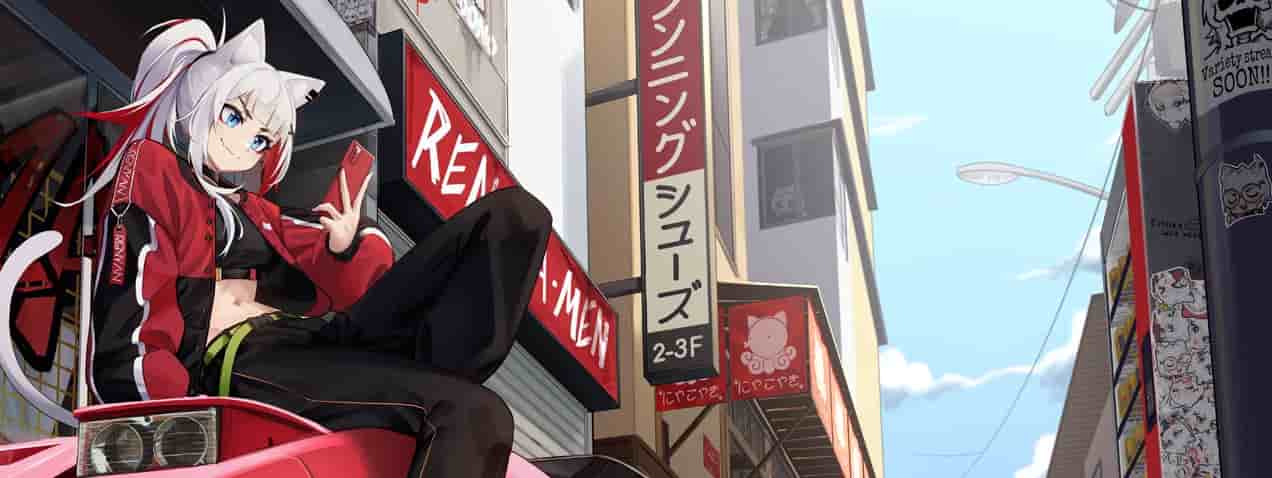
Renyan has built a massive following in the Counter-Strike 2 community. His Twitch streams pull thousands of viewers. His YouTube channel boasts over 200,000 subscribers who watch his gameplay religiously.
What separates renyan from typical content creators? He’s legitimately skilled at CS2. That’s why players constantly search for his settings, crosshair codes, and equipment choices. When a creator can actually compete at high levels, their config becomes valuable.
This guide breaks down every aspect of renyan’s CS2 setup. You’ll find his exact mouse sensitivity, video settings, crosshair configuration, and hardware choices.
Renyan CS2 Settings
Renyan CS2 Settings
Quick Overview: renyan’s Core Settings
Key Configuration Highlights:
- eDPI: 560 (800 DPI × 0.7 sensitivity)
- Resolution: 1280×960 stretched
- Aspect Ratio: 4:3
- Crosshair Style: Classic static with negative gap
- Main Mouse: Logitech G Pro X Superlight 2
renyan’s Mouse Configuration Breakdown
renyan runs incredibly low sensitivity compared to most players. His 560 eDPI places him among precision-focused riflers who rely on arm movements rather than wrist flicks.
| Setting | Value |
|---|---|
| Mouse | Logitech G Pro X Superlight 2 Black |
| DPI | 800 |
| In-Game Sensitivity | 0.7 |
| eDPI | 560.00 |
| Zoom Sensitivity | 0.8 |
| Polling Rate | 2000 Hz |
| Windows Sensitivity | 6/11 |
Low sensitivity demands larger mouse movements. This trade-off provides better control for spray transfers and long-range duels. Players switching to renyan’s sens should expect an adjustment period of 20-30 hours minimum.
The 2000 Hz polling rate on his Superlight 2 reduces input lag marginally. Most players won’t notice the difference from 1000 Hz, but competitive players chase every millisecond advantage.
Best renyan CS2 Settings for Crosshair
Crosshair preference varies wildly between players. What works for renyan might feel awkward for you. Still, testing pro configurations helps you understand what’s possible.
renyan Crosshair Code: CSGO-43DQ7-ZRw5p-zSoGv-rJsJN-N6OtQ
| Parameter | Setting |
|---|---|
| Style | Classic Static |
| Follow Recoil | No |
| Center Dot | No |
| Length | 1.5 |
| Thickness | 0 |
| Gap | -2 |
| Outline | No |
| Color | Green |
| RGB Values | 0, 230, 180 |
| Alpha | 255 |
The negative gap creates overlapping crosshair lines. This produces a small, precise aiming point. Green coloring stands out against most map environments without being distracting.
Static crosshairs don’t expand when moving or shooting. renyan clearly prefers clean visual feedback over dynamic movement indicators.
Renyan Video Settings CS2 Configuration
renyan chooses 4:3 stretched despite being a content creator. Most streamers use 16:9 for better viewer experience. His commitment to 4:3 suggests he values competitive advantage over aesthetics.
| Video Setting | Value |
|---|---|
| Resolution | 1280×960 |
| Aspect Ratio | 4:3 |
| Scaling Mode | Stretched |
| Brightness | 93% |
| Display Mode | Fullscreen |
| Boost Player Contrast | Enabled |
| V-Sync | Disabled |
| NVIDIA Reflex | Disabled |
| Max FPS | 0 (Unlimited) |
| MSAA | 2x |
| Global Shadows | Medium |
| Model Detail | Low |
| Texture Filtering | Trilinear |
Stretched 4:3 makes player models appear wider. This creates easier targets during quick peeks and spray transfers. The trade-off? Reduced peripheral vision compared to 16:9.
Unlimited FPS ensures maximum responsiveness. V-Sync and Reflex stay disabled to minimize input lag. Medium shadows provide enough visibility without tanking performance.
renyan CS2 Viewmodel Settings
renyan sticks with default viewmodel positioning. Many pros customize this heavily, but he apparently finds the standard viewmodel comfortable.
Viewmodel Commands:
viewmodel_fov 68
viewmodel_offset_x 2.5
viewmodel_offset_y 0
viewmodel_offset_z -1.5
viewmodel_presetpos 2
These default settings center the weapon naturally without blocking screen space. Preset position 2 represents the classic Counter-Strike weapon placement that veterans recognize instantly.
Renyan CS2 Launch Settings Explained
Launch options optimize game startup and performance. renyan’s configuration focuses on competitive reliability.
Launch Options:
-tickrate 128 -novid +exec autoexec.cfg -language bananagaming -allow_third_party_softwareBreaking down each command:
-tickrate 128: Forces 128-tick servers for practice-novid: Skips intro videos for faster startup+exec autoexec.cfg: Loads custom configuration automatically-language bananagaming: Uses community language pack-allow_third_party_software: Permits external tools like FaceIt Anti-Cheat
Renyan CS2 HUD and Radar Settings
Interface customization affects information processing during matches. renyan keeps his HUD relatively clean.
HUD Configuration:
- Scale: 0.9
- Color: Purple
Radar Configuration:
- Centers on Player: Yes
- Rotating: Yes
- HUD Size: 1
- Map Zoom: 0.5
The 0.9 HUD scale provides more screen space while keeping information readable. Purple coloring offers good contrast without eyestrain during long sessions.
Rotating radar helps with directional awareness during rapid rotations. The 0.5 zoom level shows more map area for better team positioning awareness.
Renyan CS2 Inventory and Skins
renyan’s CS2 inventory reflects his status as a successful content creator. While specific skin loadouts change, he typically runs high-tier finishes on main weapons.
CS2 skins don’t affect gameplay performance.
However, they matter psychologically. Players often perform better with skins they find visually appealing. This placebo effect shouldn’t be dismissed.
Renyan CS2 Faceit Performance
renyan competes on Faceit regularly.
His gameplay demonstrates solid fundamentals despite his primary focus being content creation.
Faceit provides 128-tick servers and skill-based matchmaking.
It’s where serious CS2 players test themselves outside official Valve matchmaking. renyan’s activity on Faceit shows he takes competitive improvement seriously.
Renyan CS2 Steam Profile Details
You can find renyan’s Steam profile through his social media links. His Steam account showcases thousands of hours in Counter-Strike titles spanning multiple versions.
Renyan CS2 Age and Background
renyan’s real name: Unknown (not publicly disclosed)
Renyan CS2 age: Not publicly confirmed
Nationality: Norway
renyan maintains privacy around personal details. This approach lets his content speak for itself without biographical distractions. Many successful creators take similar approaches.
Complete Equipment Setup
renyan invests in quality peripherals. His hardware choices reflect common preferences among competitive players.
| Equipment Type | Model |
|---|---|
| Mouse | Logitech G Pro X Superlight 2 Black |
| Mousepad | Artisan Type-99 XSoft Black |
| Monitor | ZOWIE XL2586X+ |
| Keyboard | Wooting 80HE Zinc White |
| Headset | beyerdynamic DT 900 Pro X |
The Wooting 80HE provides analog input and rapid trigger technology. These features allow faster counter-strafing and movement inputs. The ZOWIE monitor delivers 540Hz refresh rate for ultimate smoothness.
Renyan CS2 Settings Reddit Discussions
Reddit communities constantly debate optimal CS2 configurations. Threads about renyan cs2 settings reddit pop up regularly in r/GlobalOffensive and related subreddits.
Common discussion points include:
- Whether his low sensitivity suits different playstyles
- How stretched 4:3 affects aiming consistency
- If his crosshair works for AWPing
- Which settings provide the biggest performance boost
Reddit users appreciate that renyan actually plays at competitive levels. This credibility makes his settings more trustworthy than those from pure entertainment streamers.
Expert Analysis: What Makes These Settings Work
renyan’s configuration reveals a player focused on consistency and precision. Every choice minimizes distractions while maximizing information clarity.
The 560 eDPI suits controlled, methodical gameplay. Players who rely on crosshair placement over flick shots benefit most from this range. It demands good positioning since you can’t snap to targets as quickly.
His video settings prioritize performance. Low texture details and minimal effects ensure stable frame rates. This matters more than visual fidelity in competitive scenarios.
The static crosshair choice indicates confidence in muscle memory. Dynamic crosshairs provide movement feedback, but renyan doesn’t need that crutch. He knows when he’s accurate through pure practice.
Settings Comparison: renyan vs Other Top Creators
Comparing renyan to similar creators shows interesting patterns. s1mple uses 1200 eDPI. ZywOo runs 800 eDPI. renyan’s 560 sits in the lower range.
Most content creators use 16:9 aspect ratios. renyan’s commitment to 4:3 stretched signals competitive priorities. He sacrifices streaming aesthetics for personal performance preference.
His hardware choices align with pro standards. The Superlight 2 and ZOWIE monitor appear in countless top player setups. This convergence suggests these products genuinely perform at the highest levels.
Practical Takeaways for Your Own Config
Don’t blindly copy renyan’s settings. Use them as a starting point for experimentation.
- Sensitivity Testing: Start with 560 eDPI if you want precision. Increase to 800+ if you need faster rotations. Test each for 10+ competitive matches before deciding.
- Resolution Choice: Try 4:3 stretched for one week. Compare your AWP flick accuracy and rifle spray control. If you lose too many peripheral kills, switch back to 16:9.
- Crosshair Optimization: Import renyan’s code. Play 5 deathmatch sessions. If the negative gap feels cramped, increase gap to -1 or 0. Adjust thickness if visibility suffers.
- Video Settings: Copy renyan’s configuration for maximum FPS. If your PC handles it easily, you can increase texture quality for better skin visibility.
How renyan’s Setup Affects Streaming Quality
- Content creators face unique challenges.
- They need settings that look good on stream while maintaining competitive performance.
- renyan chooses performance over presentation.
- His 4:3 stretched creates black bars on stream. He accepts this visual compromise for personal comfort.
- This decision shows authenticity.
- He’s not optimizing for viewer experience at the expense of his gameplay.
- Fans respect this honesty.
FAQs
- What sensitivity does renyan use in CS2?
renyan uses 800 DPI with 0.7 in-game sensitivity, creating an eDPI of 560. This low sensitivity provides excellent precision for controlled aiming.
- What is renyan’s crosshair code?
His current crosshair code is CSGO-43DQ7-ZRw5p-zSoGv-rJsJN-N6OtQ. It features a classic static style with green color and negative gap for tight precision.
- Does renyan play on stretched resolution?
Yes, renyan plays on 1280×960 resolution with 4:3 stretched aspect ratio. This makes player models appear wider and easier to hit.
- Where can I watch renyan stream CS2?
You can find renyan’s CS2 streams on Twitch. He also uploads highlights and gameplay to his YouTube channel with over 200,000 subscribers.
- What mouse does renyan use for CS2?
renyan uses the Logitech G Pro X Superlight 2 in black. He pairs it with an Artisan Type-99 XSoft mousepad for consistent tracking.
Final Thoughts
renyan’s CS2 settings demonstrate a no-nonsense approach to competitive play. He prioritizes performance, consistency, and personal comfort over flashy configurations.
His low sensitivity demands precise mouse control. The 4:3 stretched resolution trades field of view for target size. Static crosshair and clean HUD minimize visual noise.
These choices won’t magically improve your rank. Settings matter far less than game sense, positioning, and crosshair placement. However, optimized configuration removes technical barriers to improvement.
Test renyan’s setup systematically. Change one element at a time. Give each modification at least 20 hours before judging results. Your ideal configuration might differ completely from his.
The best settings are the ones that feel invisible during gameplay. You shouldn’t think about your crosshair or sensitivity mid-round. renyan’s config works because he’s refined it through thousands of hours. Build yours the same way.
Also Check:
About the Author