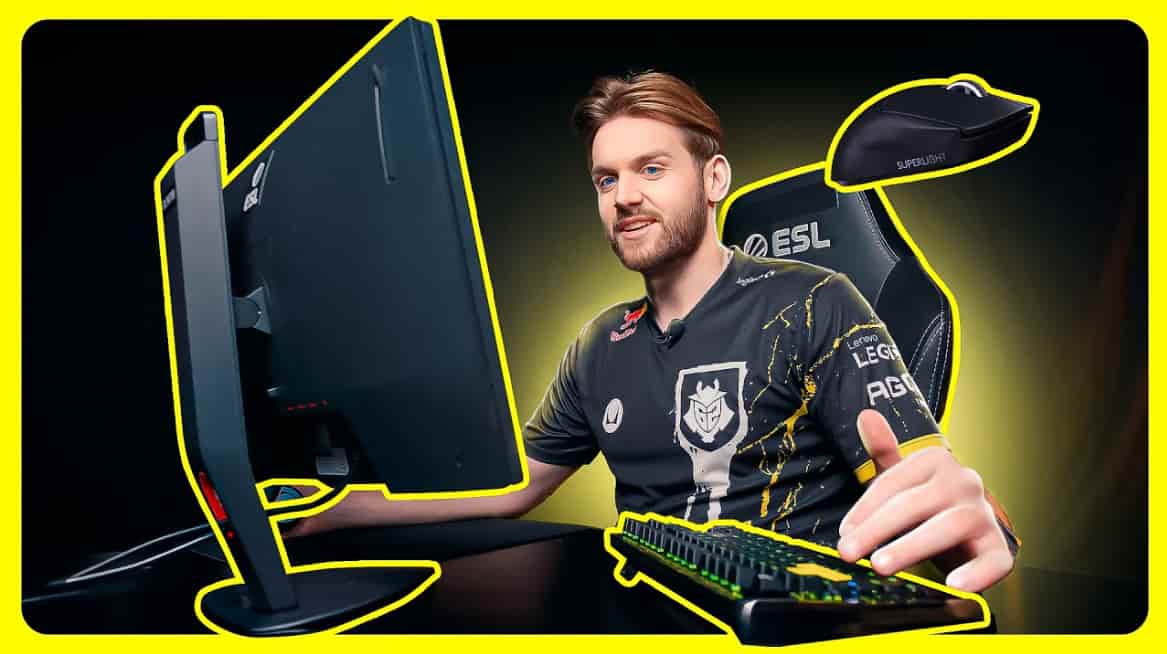
Nikola “NiKo” Kovač is widely regarded as one of the greatest Counter-Strike players ever produced.
From his early days at mousesports through title runs at FaZe Clan and G2, and now representing Falcons, his mechanical precision and aggressive rifling style have defined an entire era of competitive CS.
His longevity at the top of the game is rare. Most mechanical stars peak and decline within a few seasons — NiKo has sustained elite-level output for nearly a decade.
That consistency makes niko cs2 settings one of the most studied configurations in the professional scene.
Understanding what he uses — and why — gives any serious player a credible starting point for building their own competitive setup.
NiKo CS2 Settings
NiKo CS2 Settings
Setting
Value
Mouse
Razer DeathAdder V4 Pro White
DPI
800
Sensitivity
0.7
eDPI
560
Zoom Sensitivity
1
Polling Rate
1000 Hz
Windows Sensitivity
6
Aim Consistency An eDPI of 560 is deliberately low — among the lowest in the professional rifler community. This forces arm-level aiming mechanics that build precise, repeatable crosshair placement over thousands of hours of practice. For a player whose game is built on winning duels before opponents can react, consistency of aim across multiple rounds and maps is non-negotiable.
Rifler Control Low DPI combined with a 0.7 in-game sensitivity means every physical movement of the mouse translates to a proportionally small on-screen adjustment. This level of granular control is particularly valuable during controlled spray transfers, where micro-corrections determine whether a burst lands or misses at range. NiKo’s spray control with the AK-47 and M4 is widely considered among the most refined in the game — this sensitivity foundation is a significant contributing factor.
Muscle Memory Running the same eDPI of 560 across years of professional play has allowed NiKo to develop movement-to-outcome associations that operate below conscious thought during live rounds. Changing sensitivity resets this accumulated motor learning. The fact that his sensitivity has remained stable across multiple teams and engine transitions validates the long-term investment in a fixed, low eDPI configuration.
NiKo CS2 Settings
Setting
Value
Resolution
1280×960
Aspect Ratio
4:3
Scaling Mode
Stretched
Display Mode
Fullscreen
Brightness
93%
NiKo CS2 resolution is currently 1280×960 in 4:3 stretched — a return to the conventional professional standard after a period of experimentation.
NiKo CS2 settings 16 10 were a notable deviation during an earlier phase of his career, where he used a 16:10 aspect ratio to gain wider peripheral visibility.
He has since reverted to 4:3 stretched, which widens player models horizontally and reduces rendering load, keeping frame rates consistently high across all maps.
The 4:3 stretched approach at this specific resolution strikes a balance between the visual widening benefit that aids target acquisition and the frame rate headroom that competitive play at 999 FPS demands.
Fullscreen mode eliminates windowed rendering overhead, and 93% brightness keeps dark corridors readable without over-saturating outdoor areas.
NiKo CS2 Crosshair Settings
Option
Value
Crosshair Code
CSGO-RJ5NF-nRqHU-eUDOm-9k24O-uhmwG
Style
Classic Static
Length
1
Thickness
0
Gap
-4
Color
Custom (0, 255, 145)
Outline
No
Visibility The custom green-teal color at RGB (0, 255, 145) provides strong contrast across Ancient’s stone textures, Mirage’s sandy surfaces, and Nuke’s industrial interiors. Unlike pure white — which can wash out on bright surfaces — this color maintains distinct visibility in both overlit outdoor areas and darker interior corridors without requiring outline assistance.
Recoil Discipline NiKo cs2 crosshair uses a static configuration with Follow Recoil disabled. A static crosshair stays fixed on screen regardless of spray pattern, which forces the player to learn recoil control independently through physical muscle memory rather than relying on visual crosshair feedback. This approach produces more reliable spray mechanics under pressure — the player’s hands make the correction, not the eye tracking the crosshair’s movement.
Compact Design A length of 1 combined with zero thickness and a -4 gap produces one of the smallest possible crosshair footprints without becoming a single dot. This minimal design keeps the visual space around the point of aim completely unobstructed, which is critical for a rifler whose crosshair placement discipline determines the outcome of first-bullet duels at every range.
NiKo CS2 Viewmodel Settings
Command
Value
FOV
68
Offset X
2
Offset Y
0
Offset Z
-1.5
Presetpos
2
Niko CS2 settings viewmodel reflects a return to the professional standard after NiKo previously experimented with a more extreme offset configuration designed to minimize the gun model’s visual footprint on screen.
His current setup — FOV 68, Presetpos 2, and modest X and Z offsets — positions the weapon comfortably to the lower-right without pulling it far enough to feel unnatural during fast directional movement.
The reversion to standard values was a deliberate choice. Extreme viewmodel configurations, while opening up more screen space, alter the visual anchor point that the player’s brain uses during movement-based aiming.
For a player whose mechanics depend on deeply ingrained motor patterns, a stable, consistent viewmodel that does not change weapon animation behavior is worth more than marginal screen real estate gains.
NiKo CS2 Video Settings
Setting
Value
Boost Player Contrast
Enabled
V-Sync
Disabled
NVIDIA Reflex
Enabled + Boost
Maximum FPS
999
HDR
Quality
NiKo enables NVIDIA Reflex with Boost — a combination that actively reduces system latency by prioritizing the GPU’s rendering work for CS2 above other background processes.
At a 999 FPS cap, Reflex + Boost ensures that each rendered frame is delivered to the display with the minimum possible delay between mouse input and visual output.
Boost Player Contrast is enabled to increase the visual distinction between player models and environmental backgrounds. Disabling V-Sync removes the frame pacing delay that synchronization introduces, delivering uncapped frame output that the ZOWIE XL2586X+ monitor can leverage at its full refresh rate.
NiKo CS2 Advanced Video Settings
Setting
Value
Anti-Aliasing
8x MSAA
Shadow Quality
High
Texture Detail
Low
Shader Detail
Low
Ambient Occlusion
Disabled
NiKo’s advanced video configuration balances player model clarity against frame rate performance.
Running 8x MSAA smooths the jagged edges on player models and geometry outlines — particularly noticeable at 1280×960 stretched — while keeping texture and shader detail at Low to minimize the GPU workload associated with environmental rendering.
High shadow quality is an intentional deviation from the typical low-everything professional approach.
Shadows at this setting provide directional light cues that help NiKo read opponent positions and movement around corners, adding a situational awareness layer that he values above the marginal frame rate cost.
Ambient Occlusion is disabled entirely to remove a rendering effect that adds no competitive value while consuming measurable GPU resources.
NiKo CS2 HUD Settings
HUD Option
Value
HUD Scale
1.1
HUD Color
Pink
NiKo runs a HUD scale of 1.1 — slightly above default — which increases the size of health, ammo, and utility readouts for marginally faster information processing during live rounds.
The pink HUD color is a personal preference that provides visual distinction from the green and blue tones of environmental elements on most CS2 maps, making the interface easier to separate from the game world at a glance.
NiKo CS2 Radar Settings
Radar Option
Value
Center Player
Yes
Rotate Radar
Yes
Map Zoom
0.35
Radar Size
1
A player-centered, rotating radar ensures that the minimap always orients relative to NiKo’s facing direction rather than a fixed cardinal bearing.
This makes directional reading of teammate and opponent positions faster and more intuitive during active engagements.
A Map Zoom of 0.35 provides a wider contextual overview than the standard default, giving him more positional information per glance without reducing the radar to an unreadably small scale during fast-moving rounds.
NiKo CS2 Gear and Equipment
Gear
Model
Mouse
Razer DeathAdder V4 Pro White
Mousepad
Artisan Ninja FX Zero XSoft
Monitor
ZOWIE XL2586X+
Keyboard
Razer Huntsman V3 Pro TKL
Headset
Razer BlackShark V3 Pro
The Razer DeathAdder V4 Pro White is a wireless flagship performance mouse with a Focus Pro 30K optical sensor and a weight optimized for extended arm-aiming sessions.
Paired with the Artisan Ninja FX Zero XSoft mousepad — a premium Japanese control surface known for consistent glide resistance across different humidity conditions — the combination delivers the predictable surface-to-sensor relationship that NiKo’s low-sensitivity aiming mechanics demand.
The ZOWIE XL2586X+ is a 360Hz TN display with DyAc+ motion blur reduction, providing NiKo with the fastest available refresh rate for CS2 in a tournament-grade package.
The Razer Huntsman V3 Pro TKL 8KHz keyboard uses analog optical switches that actuate at a configurable pre-travel point, which supports the precise counter-strafing inputs that NiKo’s movement-based dueling style depends on. His Razer BlackShark V3 Pro headset provides wireless positional audio with closed-back passive isolation — essential for clean footstep and bomb-plant audio in LAN environments.
Conclusion
Every element of niko cs2 settings reflects a career-long commitment to precision over trend-following. NiKo has never chased popular configurations — he has maintained the values that work for his specific mechanics and updated them only when competitive necessity or new hardware genuinely warranted a change.
Competitive Consistency His 560 eDPI and static crosshair have been stable across multiple teams and engine generations. That stability is itself a competitive advantage — no resetting of muscle memory, no adjustment periods between team changes.
Pro-Level Simplicity The configuration removes complexity at every layer. Low sensitivity, minimal crosshair, standard viewmodel, uncapped frames, and disabled synchronization features all point toward a setup that prioritizes direct, unmediated competitive performance.
Adaptability in NiKo cs2 settings 2026 His return from 16:10 to 4:3 stretched and his viewmodel reversion both demonstrate that NiKo cs2 settings 2026 reflect ongoing evaluation rather than rigid adherence to past choices — a mindset that keeps his setup current even after a decade at the top.
Community Discussion NiKo CS2 settings Reddit threads consistently rank among the most active configuration discussions in the CS2 community — a testament to how many players use his setup as a reference point for their own optimization process.
Streaming Relevance Players who want to see these settings in live competitive action can follow Cs2 niko twitch, where his stream provides direct observation of how his configuration performs across different maps, opponents, and match scenarios at the Tier 1 level.