Professional CS2 settings have become one of the most searched topics in the competitive gaming community.
Players at every rank study pro configurations in the hope of finding an edge — better sensitivity, sharper crosshairs, cleaner video settings.
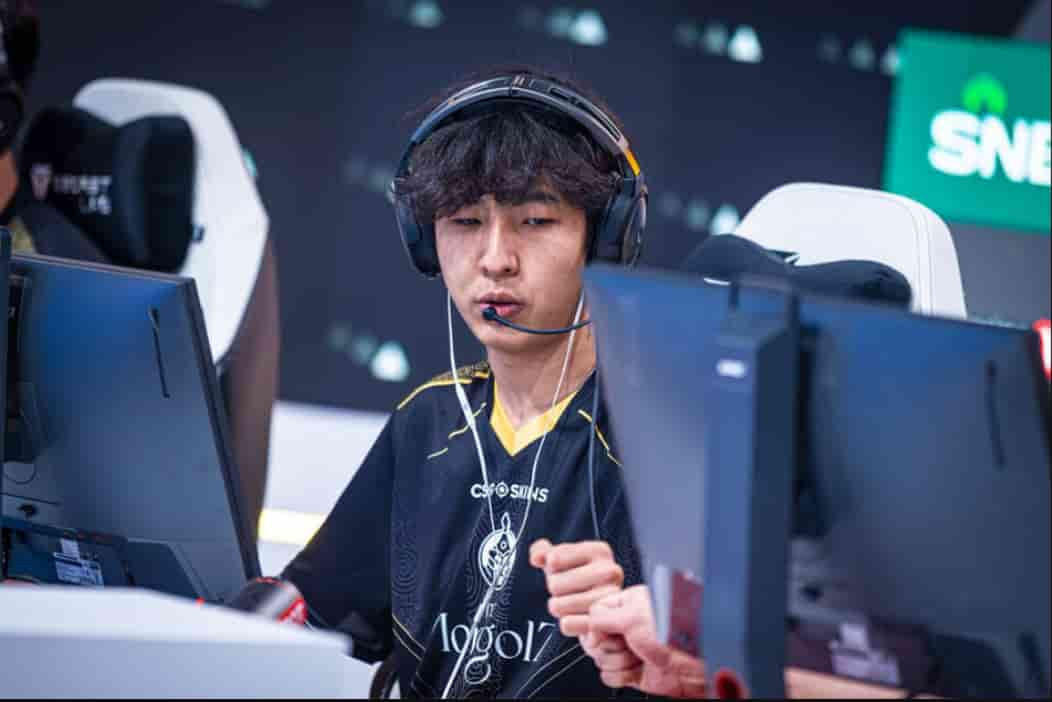
Azbayar “Senzu” Munkhbold is one of the most mechanically gifted riflers to emerge in recent CS2 history.
His 2025 run with The MongolZ, including an Esports World Cup victory, put him on the global radar permanently.
That success made senzu cs2 settings one of the most searched configuration sets in the game. What he uses — and why — is worth understanding in full.
Senzu CS2 Settings
Senzu CS2 Settings
| Category | Details |
|---|---|
| Player Name | Azbayar “Senzu” Munkhbold |
| Country | Mongolia |
| Role | Rifler |
| Current Status | Benched |
| Former Team | The MongolZ |
- Players copy pro setups because professional configurations represent thousands of hours of real competitive refinement. Every value a player like Senzu uses has been tested under match pressure, adjusted over time, and kept because it works for his specific mechanical style.
- That said, copying a setup does not transfer the mechanics behind it. Best senzu cs2 settings analysis consistently highlights that his high sensitivity and crosshair choices are built around a playstyle that most players have not developed the muscle memory to replicate immediately.
- Settings provide a starting point, not a shortcut. Understanding why each value exists is more valuable than copying numbers blindly.
Senzu CS2 Mouse Settings
| Setting | Value |
|---|---|
| DPI | 400 |
| Sensitivity | 3 |
| eDPI | 1200 |
| Zoom Sensitivity | 1.1 |
| Polling Rate | 2000 Hz |
| Windows Sensitivity | 6 |
High Sensitivity Playstyle
An eDPI of 1200 is a significant outlier for a rifler at the professional level, where most players operate between 700 and 900 eDPI.
High sensitivity shortens the physical distance required to move the crosshair across the screen, enabling faster target transitions and quicker reaction peeking.
For a mechanically elite player, this translates to an aggressive, fast-paced rifling style that consistently outpaces opponents in opening duels.
Senzu Mouse Grip
Mouse grip affects how sensitivity translates into on-screen movement at a physical level. The grip a player uses determines how much finger, wrist, and arm movement contributes to cursor motion.
At 1200 eDPI, grip consistency becomes especially important — small unintended movements carry more on-screen consequence than they would at a lower sensitivity, making a stable and repeatable grip fundamental to accuracy.
Senzu CS2 Crosshair Settings
<div style=”overflow-x: auto;”> <table> <thead> <tr> <th>Crosshair Option</th> <th>Value</th> </tr> </thead> <tbody> <tr> <td>Style</td> <td>Classic Static</td> </tr> <tr> <td>Length</td> <td>1.5</td> </tr> <tr> <td>Thickness</td> <td>0</td> </tr> <tr> <td>Gap</td> <td>-3</td> </tr> <tr> <td>Color</td> <td>Cyan</td> </tr> <tr> <td>Alpha</td> <td>200</td> </tr> </tbody> </table> </div>
- Senzu’s crosshair code is CSGO-7ymUn-pBCP7-NFZjT-J8Tqh-3QqNO. His choice of a near-invisible thickness of 0 alongside a -3 gap creates one of the most minimal crosshair configurations in the professional scene.
- Players exploring crosshair options — including those who have studied 910 settings and similar pro-adjacent configurations — will find that Senzu’s crosshair prioritizes a clean center reference point above all else.
- Cyan provides strong contrast across a wide range of map textures and lighting conditions, making it a practical color choice rather than an aesthetic one.
Senzu CS2 Viewmodel Settings
| Command | Value |
|---|---|
| FOV | 68 |
| Offset X | 2.5 |
| Offset Y | 0 |
| Offset Z | -1.5 |
| Preset Position | 2 |
- Senzu’s viewmodel configuration is the standard professional setup shared by the majority of Tier 1 riflers.
- Compared to players like Techno4K settings, which sometimes deviate from standard viewmodel values to reflect individual visual preferences, Senzu keeps his viewmodel neutral and consistent with the broader professional consensus.
- This approach prioritizes mechanical stability — the weapon animation behaves predictably across every map and scenario, supporting the muscle memory consistency that his high-sensitivity playstyle demands.
Senzu CS2 Video Settings
| Video Option | Value |
|---|---|
| Resolution | 1280×960 |
| Aspect Ratio | 4:3 |
| Scaling Mode | Stretched |
| Brightness | 93% |
| Display Mode | Fullscreen |
Senzu CS2 Advanced Video Settings
| Advanced Setting | Value |
|---|---|
| Boost Player Contrast | Enabled |
| V-Sync | Disabled |
| NVIDIA Reflex | Enabled |
| MSAA | 8x |
| Global Shadow Quality | Very High |
Senzu CS2 HUD Settings
| HUD Option | Value |
|---|---|
| HUD Scale | 1 |
| HUD Color | Team Color |
Senzu CS2 Radar Settings
| Radar Setting | Value |
|---|---|
| Center Player | Yes |
| Rotating Radar | Yes |
| Radar Zoom | 0.3 |
Senzu CS2 Gear and Equipment
| Gear | Model |
|---|---|
| Mouse | Razer DeathAdder V3 HyperSpeed |
| Mousepad | ZOWIE G-SR-SE BLUE II |
| Monitor | ZOWIE XL2566K |
| Keyboard | SteelSeries Apex Pro TKL Gen 3 |
| Headset | HyperX Cloud III Wireless |
- The Senzu Steam profile is one of the more followed pages among CS2 players tracking The MongolZ roster, reflecting the level of community interest that followed his breakout 2025 season.
- His Senzu FACEIT activity during that period demonstrated high-ELO matchmaking performance that ran parallel to his international tournament results, validating his mechanical reputation outside of structured team play.
- Regarding Senzu cs2 twitch, Senzu does not currently maintain an active streaming presence on the platform.
- Players looking for gameplay content related to his Senzu cs2 stream activity are more likely to find highlight compilations and tournament VODs through third-party content creators and official event broadcasts rather than a personal channel.
Conclusion
Studying senzu cs2 settings provides a detailed window into how one of CS2’s most mechanically gifted riflers has configured his game for elite-level performance. His outlier sensitivity, minimal crosshair, and standard viewmodel all reflect deliberate choices made over years of competitive play.
- Consistency Over Copying Copying settings without understanding their purpose rarely produces results. Senzu’s 1200 eDPI works for him because of years of mechanical adaptation — not because the number itself is correct for every player.
- Hardware Complements Skill The Razer DeathAdder V3 HyperSpeed, ZOWIE monitor, and SteelSeries keyboard are tools that remove hardware limitations. They support existing mechanical skill rather than creating it.
- Adapt Settings to Your Playstyle Use Senzu’s configuration as a reference point, not a template. Adjust sensitivity, crosshair, and resolution incrementally based on what your own aiming mechanics respond to best.
Also Check:
About the Author