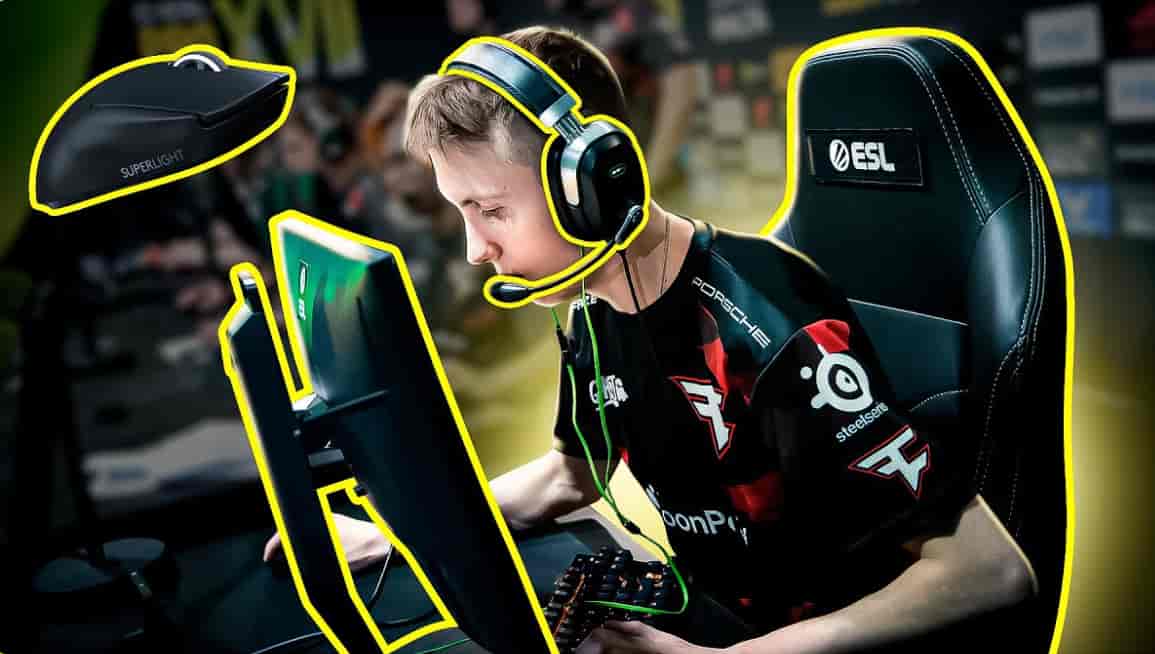
Robin “ropz” Kool has redefined what it means to be a lurker in professional Counter-Strike.
Playing for Team Vitality after stints at mousesports and FaZe Clan, he has built a career on mechanical precision, game sense, and a playstyle that opponents consistently struggle to read.
His rise began with a FACEIT office visit that silenced cheating accusations and launched one of the most respected careers in CS history.
Since then, ropz cs2 settings have become a benchmark for players who value consistency and role-specific optimization over trend-following.
Every value in his configuration exists for a reason rooted in competitive practicality.
ropz CS2 Settings
ropz CS2 Settings
| Category | Setting |
|---|---|
| Mouse | Razer DeathAdder V3 HyperSpeed |
| DPI | 400 |
| Sensitivity | 1.77 |
| eDPI | 708 |
| Resolution | 1920×1080 |
Why These Settings Work
An eDPI of 708 sits firmly on the low side for professional play, demanding arm-level precision that rewards players who develop controlled, deliberate movement.
For a lurker who must hold angles patiently and win isolated duels, this level of sensitivity control is a functional necessity rather than a stylistic preference.
ropz CS2 Settings Overview
| Configuration | Value |
|---|---|
| Crosshair Code | CSGO-MMQuh-Hs3Sj-Qv9zd-VaCmc-3QqNO |
| Viewmodel FOV | 68 |
| Launch Options | None |
| Aspect Ratio | 16:9 |
| HUD Scale | 1 |
Quick Snapshot Analysis
ropz CS2 Settings reflect a player who has deliberately avoided complexity in favor of clean, consistent baselines.
No launch options, native resolution, default HUD scale — every choice points toward a setup built for long-term mechanical reliability across different maps, opponents, and team structures.
ropz CS2 Mouse Settings
| Setting | Value |
|---|---|
| Mouse | Razer DeathAdder V3 HyperSpeed |
| DPI | 400 |
| Sensitivity | 1.77 |
| eDPI | 708 |
| Hz | 2000 |
| Windows Sensitivity | 6 |
| Zoom Sensitivity | 1 |
- Low eDPI Advantage An eDPI of 708 forces consistent arm-level aiming mechanics that build precise crosshair placement over time. For a lurker who takes measured, pre-aimed duels rather than reactive flick shots, this sensitivity level provides the control margin needed to win isolated one-on-one encounters.
- Polling Rate Impact Running at 2000 Hz means the mouse reports its position to the game 2000 times per second — double the standard 1000 Hz rate. This delivers noticeably smoother cursor tracking during slow micro-adjustments, which is precisely the type of movement a lurker relies on when holding an angle for an extended period.
- Mechanical Consistency The Razer DeathAdder V3 HyperSpeed is a lightweight wireless mouse with a reliable optical sensor that maintains accuracy across extended match sessions. Best ropz cs2 settings analysis consistently highlights this mouse as a hardware choice that eliminates wireless latency concerns while keeping weight low enough for prolonged precision aiming.
ropz CS2 Crosshair Settings
| Setting | Value |
|---|---|
| Crosshair Code | CSGO-MMQuh-Hs3Sj-Qv9zd-VaCmc-3QqNO |
| Style | Classic Static |
| Length | 2 |
| Thickness | 0.5 |
| Gap | -3 |
| Outline | No |
| Color (RGB) | 50 / 250 / 154 |
| Alpha | 255 |
| Sniper Width | 0 |
- Minimal Visual Distraction A length of 2 combined with a thickness of 0.5 creates an extremely compact crosshair that leaves the area around the point of aim unobstructed. For a player whose role demands precise pre-aim at head level before opponents round corners, visual noise around the crosshair center is actively counterproductive.
- Ropz crosshair Philosophy The -3 gap pulls the four crosshair lines inward to create a near-closed center reference point. This tight configuration reinforces head-level aim discipline by giving the eye a very specific pixel to lock onto, which is essential for a lurker whose entire game revolves around winning the first shot in isolated duels.
- Customization Advice Ropz settings represent one configuration style, but crosshair preference is deeply personal. Import his code as a starting point, play several sessions, and adjust length and gap incrementally until the visual feel matches your own aiming mechanics.
ropz CS2 Viewmodel Settings
| Command | Value |
|---|---|
| FOV | 68 |
| Offset X | 2.5 |
| Offset Y | 0 |
| Offset Z | -1.5 |
| Presetpos | 2 |
Why Standard Viewmodels Work
ropz runs one of the most commonly used viewmodel configurations in Tier 1 CS2. The FOV of 68 and Presetpos 2 keep the weapon model in a neutral, stable position that supports consistent muscle memory across different maps and play scenarios without introducing peripheral animation noise.
ropz CS2 Launch Options
ropz does not use any CS2 launch options. His game launches with default Steam parameters, placing full trust in the base engine configuration without any command-line modifications.
Why Some Pros Avoid Launch Options
Launch options can introduce unexpected conflicts with CS2’s subtick system and driver configurations, particularly as Valve continues to update the game’s engine. Players who skip them entirely avoid the risk of outdated parameters interfering with default system behavior — a clean baseline that requires zero maintenance between game updates.
ropz CS2 Video Settings
| Setting | Value |
|---|---|
| Resolution | 1920×1080 |
| Aspect Ratio | 16:9 |
| Scaling Mode | Native |
| Brightness | 93% |
| Display Mode | Fullscreen |
Ropz resolution CS2 Strategy
The 1920×1080 native 16:9 choice is a deliberate role-based decision.
As a lurker, ropz needs the full peripheral field of view that 16:9 provides — enemies that would be off-screen in a 4:3 stretched setup remain visible in his native resolution, giving him information that directly supports the positional reads that define his playstyle.
Ropz nvidia settings cs2 pair with this resolution to maintain consistent frame delivery without visual quality trade-offs that native 1080p at low detail settings would ordinarily introduce.
ropz CS2 Advanced Video Settings
| Advanced Setting | Value |
|---|---|
| Boost Player Contrast | Enabled |
| V-Sync | Disabled |
| NVIDIA Reflex | Enabled |
| G-Sync | Disabled |
| Max FPS | 999 |
| MSAA | 2x |
| Global Shadow Quality | Low |
| Model Detail | Low |
| Texture Filtering | Bilinear |
| Ambient Occlusion | Medium |
| HDR | Quality |
| FidelityFX | Disabled (Highest Quality) |
Performance Over Graphics
Low shadows, low model detail, and bilinear texture filtering collectively reduce GPU workload to a level that allows the system to push toward the 999 FPS cap consistently.
At this frame rate ceiling, the ZOWIE XL2586X+ monitor can operate at its full potential, delivering the lowest possible input-to-display latency for a lurker who needs real-time positional awareness at every moment.
ropz CS2 Radar Settings
<div style=”overflow-x: auto;”> <table> <thead> <tr> <th>Radar Setting</th> <th>Value</th> </tr> </thead> <tbody> <tr> <td>Center Player</td> <td>Yes</td> </tr> <tr> <td>Rotate</td> <td>Yes</td> </tr> <tr> <td>HUD Size</td> <td>1</td> </tr> <tr> <td>Map Zoom</td> <td>0.65</td> </tr> <tr> <td>Toggle Shape</td> <td>No</td> </tr> </tbody> </table> </div>
Map Awareness as a Lurker
A Map Zoom of 0.65 is notably tighter than what most aggressive entry fraggers use, providing a more zoomed-in radar view focused on the immediate area around ropz’s position.
For a lurker who operates in isolation and must track both opponent positions and teammate rotations simultaneously, this tighter zoom delivers more precise local information per radar glance.
ropz CS2 HUD Settings
| HUD Setting | Value |
|---|---|
| HUD Scale | 1 |
| HUD Color | Team Color |
Clean Interface Benefits
Default HUD scale keeps all critical information — health, ammo, utility, and radar — readable without consuming additional screen space.
Team Color applies consistent color language across the kill feed, radar, and HUD interface, which supports faster visual processing of teammate and opponent information during live rounds.
Ropz keybinds cs2 complement this clean interface by keeping all utility and movement inputs mapped to ergonomic positions that support extended lurking setups without physical strain.
ropz CS2 Gear and Equipment
| Gear | Model |
|---|---|
| Mouse | Razer DeathAdder V3 HyperSpeed |
| Mousepad | VAXEE PA Black |
| Monitor | ZOWIE XL2586X+ |
| Keyboard | ASUS ROG Falchion Ace 75 HE White |
| Headset | SteelSeries Arctis Nova Pro Wireless |
Ropz keyboard settings Preference
The ASUS ROG Falchion Ace 75 HE White uses Hall Effect magnetic switches that provide analog actuation without the mechanical wear that traditional switches accumulate over extended use.
For a professional player who operates across LAN events, online qualifiers, and daily practice sessions, the consistent actuation point across thousands of keypresses directly supports the movement and counter-strafing precision that ropz’s lurking style depends on.
Monitor Advantage
The ZOWIE XL2586X+ is a high-refresh-rate competitive monitor engineered for professional play. Its DyAc+ technology reduces motion blur during fast directional camera movements, which is particularly relevant for a lurker who must quickly snap between holding a passive angle and re-positioning in response to teammate calls.
Players interested in tracking his current configuration can reference the Ropz Steam profile, which reflects an active professional consistently engaged with the game at both the practice and competitive level.
Conclusion
Every value in ropz cs2 settings reflects the deliberate choices of a player who has defined a role and built a complete configuration around executing it at the highest possible level. Nothing is borrowed from trends. Everything has a functional justification rooted in the demands of elite lurking in Tier 1 CS2.
- Mechanical Consistency The 708 eDPI and 2000 Hz polling rate combination builds reliable arm-level precision that holds up across deep tournament runs and high-pressure clutch scenarios.
- Visual Clarity Native 1080p 16:9 with low detail settings maximizes the peripheral information available to a lurker while keeping frame rates consistently high throughout every session.
- Lurker Awareness The tighter radar zoom and native resolution work together to give ropz the local positional data and full-screen visibility that isolated lurking positions demand round after round.
- Balanced Optimization No launch options, default HUD scale, and standard viewmodel values reflect a player who has found a stable system and commits to it — a philosophy that any player at any level can apply to their own configuration process.
Also Check:
About the Author