Maksim “kyousuke” Lukin is not just another promising name moving up the CS2 ladder — he is one of the most talked-about talents to enter Tier 1 in recent memory.
At just 17 years old, he was hand-picked from Spirit Academy to join Falcons, one of the most ambitious organizations in the scene.
His aggressive playstyle, relentless entry fragging, and mechanical precision drew immediate comparisons to donk, the other Spirit Academy prodigy who went on to dominate international CS2.
His debut year in 2025 validated every expectation placed on him. Analysts, streamers, and ranked players began dissecting his gameplay frame by frame.
Naturally, kyousuke cs2 settings became one of the most searched configuration topics in the competitive community almost overnight.
When a player of his caliber rises this fast, the community does not just watch. They copy every setting, every value, and every gear choice in the hope of replicating even a fraction of that performance at their own level.
kyousuke CS2 Settings
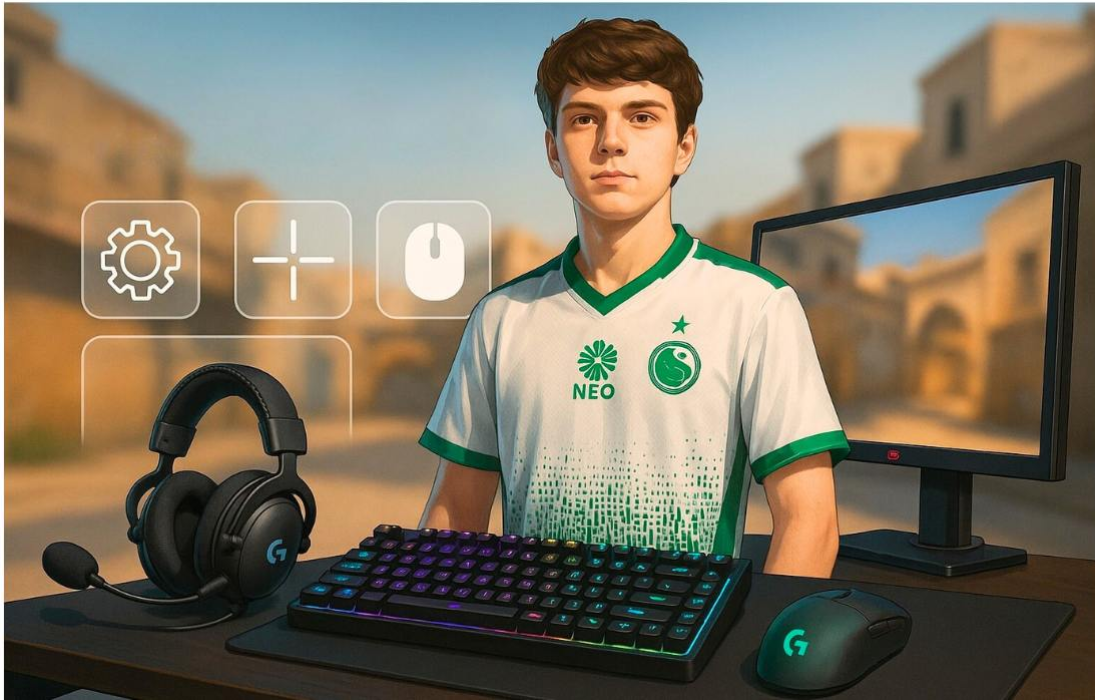
kyousuke CS2 Settings
Understanding kyousuke’s configuration requires understanding who he is as a player first.
Every setting he uses exists for a reason rooted in thousands of hours of competitive play, starting from an age when most players are still learning basic mechanics.
- Why Players Copy Pro Settings: Pro players spend years stress-testing every variable in their setup across real high-stakes matches. The configurations that survive that process are not arbitrary — they represent the most optimized combination a player has found for their specific playstyle. When kyousuke CS2 Settings are made public, ranked players treat them as a pre-validated starting point that removes years of trial and error.
- Aggressive Rifler Playstyle Influence: kyousuke’s identity as a player is defined by aggression. He takes early duels, pushes off angles before opponents expect it, and applies constant pressure with rifles. That philosophy demands hardware and in-game settings that reward fast reactions and punish hesitation. His configuration is not built for passive AWPing or slow methodical play — it is engineered for entry fragging at Tier 1 pace.
- From Spirit Academy to Falcons: kyousuke’s journey from Spirit Academy to Falcons is one of the cleaner development stories in recent CS2 history. Spirit Academy has become a proven pipeline for elite talent, and kyousuke was considered its crown jewel for a significant period before his promotion. His settings traveled with him through that pipeline, refined with each step up in competition level.
- CS2 Talent Pool and Peer Comparisons: The comparison to donk is not casual praise. Donk is widely regarded as one of the best CS2 players in the world, and the fact that peers and analysts drew that parallel before kyousuke’s Tier 1 debut says everything about the level of expectation placed on him. Both players share similar mechanical traits — fast aim, aggressive positioning, and the ability to win duels that statistically should not be won.
- FACEIT and Competitive Reputation: Kyousuke FACEIT activity reflects a player who was already operating at elite matchmaking levels long before Falcons came calling. His performance in high-ELO queues established his mechanical reputation independently of any team results, giving the competitive community a direct window into how his settings and playstyle perform in unstructured environments.
- Community Curiosity and Steam Profile: The Kyousuke Steam profile has attracted consistent traffic from players cross-referencing workshop maps, crosshair configurations, and activity patterns as part of their own setup research. His visibility in the community extends well beyond match VODs.
kyousuke CS2 Mouse Settings
Mouse settings are arguably the most personal and consequential part of any CS2 player’s configuration.
Get them wrong, and everything else suffers. Kyousuke’s approach is considered slightly above average for a rifler at Tier 1, and it is no accident.
Compared to riflers like NiKo and donk, who favor lower eDPI ranges, Kyousuke runs a configuration that sits marginally higher.
This is not a beginner’s mistake — it is a deliberate calibration suited to his aggressive entry fragging style. Fast angle-taking demands a sensitivity that can keep up with sudden directional shifts, and his values deliver exactly that.
His choice of the Logitech G Pro X Superlight 2 Magenta is consistent with the broader trend among elite riflers who prioritize sensor accuracy and ultra-low weight.
The Superlight 2 is one of the most trusted mice on the professional circuit for precisely those reasons.
| Setting | Value |
|---|---|
| Mouse | Logitech G Pro X Superlight 2 Magenta |
| DPI | 800 |
| Sensitivity | 1.28 |
| eDPI | 1024 |
| Zoom Sensitivity | 1 |
| Polling Rate | 1000 Hz |
| Windows Sensitivity | 6 |
- Why 1024 eDPI Works An eDPI of 1024 occupies a range that enables rapid target acquisition without fully committing to arm-heavy aiming. For a player who lives in aggressive peek duels and must instantly adjust crosshair placement mid-duel, this sensitivity level delivers the required responsiveness. It is fast enough to react but controlled enough to land second and third shots during sprays.
- DPI and Sensitivity Balance Running 800 DPI with a 1.28 in-game sensitivity is a common professional approach because it keeps sensor tracking clean at a moderate hardware DPI while relying on in-game scaling for the final sensitivity feel. This combination avoids the interpolation risks that come with very high hardware DPI values.
- Polling Rate Consistency A 1000 Hz polling rate ensures the mouse reports its position to the game 1000 times per second. In a game where fractions of a millisecond determine whether a flick registers or misses, consistent polling at this rate is a baseline requirement at professional play.
kyousuke CS2 Crosshair Settings
Crosshair configuration is one of the most individually expressive settings a player can make.
It does not directly change mechanics, but it shapes visual focus and aiming confidence in ways that compound over thousands of rounds. Kyousuke crosshair follows a philosophy shared by many elite riflers — compact, clean, and free of distraction.
His yellow static crosshair with a negative gap and tight dimensions is designed to pinpoint exactly where the first bullet will land without cluttering the visual space around the point of aim.
At Tier 1, where aim duels are decided in milliseconds, visual clarity at the crosshair level is not cosmetic — it is functional.
| Setting | Value |
|---|---|
| Crosshair Code | CSGO-4ttyQ-vfwMK-Gz9fL-hY6zW-4fWjM |
| Style | Classic Static |
| Follow Recoil | No |
| Length | 1 |
| Thickness | 1 |
| Gap | -4 |
| Color | Yellow |
| Alpha | 255 |
| Sniper Width | 1 |
- Why Small Crosshairs Favor Riflers: A tight crosshair with a -4 gap and length of 1 creates an extremely precise aim reference point. For riflers who depend on landing the first bullet accurately before transitioning to controlled sprays, a small crosshair removes visual distraction and keeps focus locked on the enemy model. Dynamic or large crosshairs introduce noise that can subtly affect headshot targeting at high sensitivity.
- Classic Static Over Dynamic: Disabling Follow Recoil is a deliberate choice. A static crosshair stays in place regardless of spray pattern movement, which forces the player to build muscle memory for recoil control independently. Professionals overwhelmingly prefer this because it builds a more reliable mechanical foundation over time.
- Yellow Color Choice: Yellow offers strong visibility across Ancient’s stone textures, dark corridors, and mid-zone lighting. Unlike white, which can wash out on bright surfaces, yellow maintains contrast in both overlit outdoor areas and shadowed interiors — environments that feature heavily across the current map pool.
kyousuke CS2 Viewmodel Settings
The Kyousuke CS2 viewmodel settings are deliberate in their simplicity.
Rather than pushing extreme offset values that some players use to maximize screen real estate, kyousuke runs a configuration that mirrors what many of the most consistent riflers in Tier 1 currently use.
The FOV of 68 and the modest X and Z offset values keep the weapon model comfortably to the side without pulling it so far that the natural visual weight of the weapon is lost.
This is a setup that prioritizes mechanical consistency over aggressive screen clearing.
| Command | Value |
|---|---|
| FOV | 68 |
| Offset X | 2.5 |
| Offset Y | 0 |
| Offset Z | -1.5 |
| Presetpos | 2 |
- Why Standard Viewmodels Dominate Tier 1 Extreme viewmodel configurations may open up slightly more screen space, but they alter the visual anchor the player’s brain uses for spatial awareness during movement. Most Tier 1 riflers converge on similar values because stability in how the weapon animates relative to movement supports muscle memory development across different maps, positions, and fire rates.
- Presetpos 2 Explained Presetpos 2 places the viewmodel in the classic desktop position, which is the most widely used configuration across the professional scene. It represents a neutral baseline that has been tested and validated by generations of Counter-Strike players, making it a reliable default for anyone building on a pro’s setup.
kyousuke CS2 Video Settings
Like the vast majority of professional CS2 players, kyousuke opts for a 4:3 stretched resolution.
The 1280×960 resolution on a stretched display widens player models horizontally, creating a marginally larger target that is easier to track and hit in fast-moving duels — particularly with an AK-47, where first-bullet placement is everything.
This resolution also reduces the amount of visual information the player needs to process at any given moment.
The narrower field of view focuses attention toward the center of the screen, where most engagements occur.
| Setting | Value |
|---|---|
| Resolution | 1280×960 |
| Aspect Ratio | 4:3 |
| Scaling Mode | Stretched |
| Brightness | 93% |
| Display Mode | Fullscreen |
- Does 4:3 Improve Aim? The stretched resolution does not mechanically enhance aim accuracy — the hitboxes remain the same. However, the visual widening of player models creates a larger perceived target, which can improve consistency on headshots with rifles across long training periods. Combined with years of muscle memory built at this resolution, it reinforces rather than creates the mechanical edge.
- Brightness at 93% Setting brightness at 93% rather than maximum prevents visual over-saturation while keeping low-light areas and dark corners readable. This is a fine-tuned preference rather than a dramatic adjustment, but at Tier 1 every small visual calibration contributes to overall in-game clarity.
- Fullscreen Display Mode Fullscreen eliminates the display rendering overhead that comes with windowed or borderless modes. This translates directly to lower input latency between mouse movement and on-screen response — a non-negotiable priority for a player who relies on precise entry fragging in fast-paced duels.
kyousuke CS2 Advanced Video Settings
Advanced video settings represent the second layer of performance optimization, operating beneath the main video menu. kyousuke’s configuration at this level is single-minded in its priority — maximize frame rate stability and minimize system latency at every possible point.
Kyousuke nvidia settings reflect a GPU pipeline stripped of any rendering features that consume resources without contributing to competitive advantage.
| Advanced Setting | Value |
|---|---|
| Boost Player Contrast | Enabled |
| V-Sync | Disabled |
| NVIDIA Reflex | Disabled |
| G-Sync | Disabled |
| Max FPS | 600 |
| MSAA | 8x |
| Shadow Quality | Low |
| Texture Detail | Low |
| Ambient Occlusion | Disabled |
| HDR | Quality |
- Why Low Settings Win Championships Stripping textures, shadows, and ambient effects to their lowest functional values eliminates the GPU workload that would otherwise compete with frame generation. At a 600 FPS cap, the game delivers render frames at intervals that 240Hz monitors can leverage for dramatically reduced input latency. Players at this frame rate experience a perceptual responsiveness gap compared to players capped at lower values — and that gap is most felt in fast-paced entry situations.
- Boost Player Contrast Enabled Enabling Boost Player Contrast is one of the few visual enhancements that serves a direct competitive purpose. It increases the visual distinction between player models and the environment, making enemies slightly easier to spot in complex backgrounds — particularly in maps with busy or textured walls.
- V-Sync and G-Sync Disabled Both V-Sync and G-Sync introduce frame pacing delays that add measurable latency to the rendering pipeline. Professional players unanimously disable these features because maintaining the lowest possible system latency outweighs any screen tearing concerns, especially when the monitor and GPU are delivering frames well above the display’s refresh rate.
- 8x MSAA at Low Detail Running 8x MSAA alongside low texture and shadow detail is an intentional pairing. MSAA smooths jagged edges on player models and geometric outlines without the heavy texture overhead that great detail settings introduce. The result is cleaner model silhouettes — which aid target tracking — without the frame rate cost of high fidelity textures.
kyousuke CS2 HUD Settings
The HUD configuration reflects the same minimalist approach applied everywhere else in kyousuke’s setup.
Clean, functional, and tuned to deliver essential information without cluttering the screen during active rounds.
| HUD Setting | Value |
|---|---|
| HUD Scale | 1 |
| HUD Color | Team Color |
- HUD Scale at Default: Running HUD Scale at 1 keeps all interface elements at their standard size, which strikes the balance between readability and screen space efficiency. Reducing the scale risks making health, ammo, and utility information harder to read in split-second decision moments, while unnecessarily increasing it fills the screen.
- Team Color for Clarity: Using Team Color for the HUD allows quick visual alignment between the radar teammate icons and the on-screen interface elements, reinforcing situational awareness without requiring additional cognitive processing during live rounds.
kyousuke CS2 Radar Settings
Radar settings are frequently overlooked by ranked players, but remain a significant factor in professional performance.
The radar is the primary tool for tracking teammate positions, reading rotations, and anticipating opponent movements — all functions that operate continuously throughout every single round.
Kyousuke monitor settings on the ZOWIE XL2546K — a 240Hz DyAc+ panel purpose-built for competitive play — pair directly with his radar and HUD calibration.
The monitor’s clarity and response time ensure that the information displayed on the radar is processed and acted upon without any perceptual delay.
| Radar Setting | Value |
|---|---|
| Center Player | Yes |
| Rotate | Yes |
| HUD Size | 1 |
| Map Zoom | 0.3 |
- Center Player and Rotation Enabled Centering the player and enabling rotation means the radar always orients relative to the direction the player is facing. This makes directional awareness on the radar intuitive and immediate — enemies and teammates always appear in the position relative to where you are looking, not in a fixed cardinal direction.
- Map Zoom at 0.3 A Map Zoom of 0.3 provides a wider radar view than the default, giving kyousuke more contextual information about the broader map state during each round. For an aggressive rifler who needs to track both his own position and the positions of all five opponents simultaneously, a wider zoom value delivers more usable data per glance.
kyousuke CS2 Gear and Equipment
The hardware choices kyousuke plays on are as deliberate as every in-game setting.
Each piece of equipment was selected to minimize friction between intent and execution — the goal being that no piece of hardware ever limits what a mechanically elite player can do.
| Gear | Model |
|---|---|
| Mouse | Logitech G Pro X Superlight 2 Magenta |
| Mousepad | SteelSeries QcK Heavy |
| Monitor | ZOWIE XL2546K |
| Keyboard | Logitech G Pro X (GX Blue Clicky) |
| Headset | HyperX Cloud II |
- Mouse and Mousepad Pairing: The Logitech G Pro X Superlight 2 Magenta is one of the lightest performance mice available at the professional level, weighing under 60 grams. Paired with the SteelSeries QcK Heavy — a thick, densely woven cloth pad that provides consistent surface resistance — the combination delivers predictable glide characteristics that support both flick aiming and controlled tracking movements.
- Keyboard and Input Precision: Kyousuke Keyboard settings with the Logitech G Pro X using GX Blue Clicky switches provide audible and tactile feedback on every keystroke. For a player executing precise counter-strafes, utility throws, and rapid buy menu inputs under tournament conditions, the clicky actuation supports consistent timing and reduces accidental inputs from keys that require firm, deliberate presses.
- Audio and Positional Awareness: Kyousuke audio settings through the HyperX Cloud II headset are tuned for competitive sound reproduction rather than entertainment quality. At the professional level, accurately hearing footsteps, bomb plants, distant gunfire, and rotation sounds can directly decide round outcomes. The Cloud II’s closed-back design provides passive noise isolation during LAN events, ensuring clean audio regardless of crowd noise or team communication in the booth.
- Monitor Performance: The ZOWIE XL2546K is a 240Hz TN panel featuring DyAc+ technology, which reduces motion blur during fast movements — a critical feature for a player whose camera is constantly in motion during aggressive entry plays. The 0.5ms response time ensures that the frames delivered by his 600 FPS cap are rendered with minimal ghosting or visual smearing.
Conclusion:
A full analysis of Kyousuke CS2 settings reveals a configuration where every single value has been refined through years of high-level competitive play. Nothing is arbitrary. Nothing is copied without purpose.
From his 1024 eDPI to his 1280×960 stretched resolution, each setting compounds the others to produce a complete competitive system.
- High eDPI Precision His 1024 eDPI gives him the responsiveness required for aggressive entry fragging. It enables fast crosshair movement for wide-angle duels while retaining enough control for follow-up shots and spray transfers.
- Classic 4:3 Advantage The stretched resolution widens enemy models visually and focuses attention toward the center of the screen, reinforcing the headshot accuracy that defines his AK-47 play.
- Minimalist Visual Clarity Low textures, disabled ambient features, a compact yellow crosshair, and a clean HUD eliminate visual noise and keep his attention on the information that matters most during live rounds.
- Tier 1 Ready Setup Every component — from the Logitech G Pro X Superlight 2 Magenta to the ZOWIE XL2546K — is chosen to remove hardware limitations from the equation. Players looking to build a competitive foundation have in kyousuke’s setup, one of the most thoroughly tested professional configurations available right now.
Also Check:
- CS2 Weekly Drop Reset 2026
- Best Green Gloves CS:GO/CS2
- Best Hydra Gloves Skins in CS2
- Top 5 Rarest CS2 Cases Right Now
About the Author